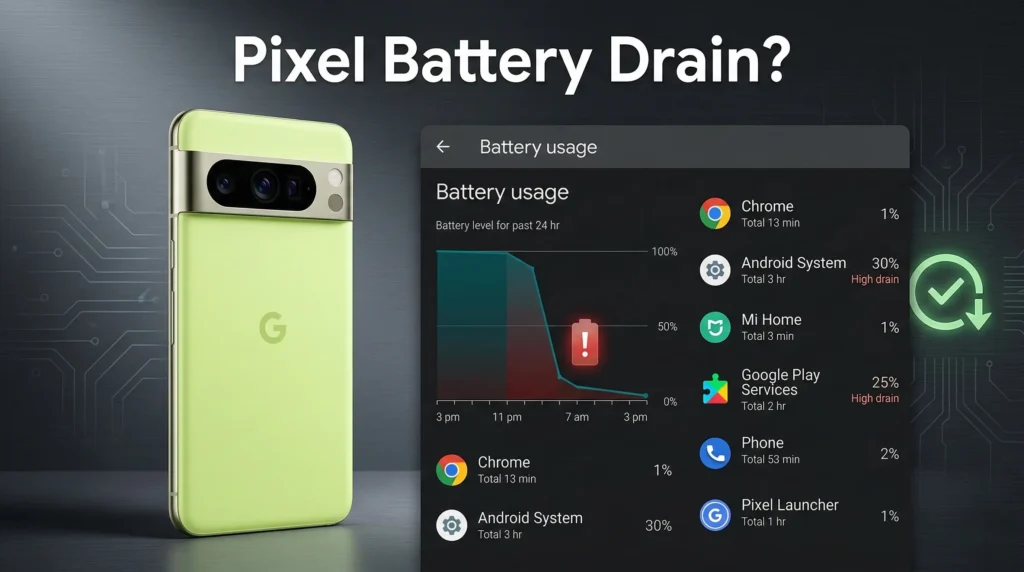
Google’s March 2026 Pixel Feature Drop brought a lot to get excited about — new AI tools, desktop mode upgrades, and a long list of performance fixes. But for a growing number of users, the update also brought something far less welcome: faster battery drain, sluggish charging, and a phone that runs noticeably warm.
If your Pixel has been struggling since the update, here is what is actually going on.
Your Phone Is Probably Just Adjusting
Before jumping to conclusions, it helps to know that some post-update slowdown is completely normal. After any major Android update, your Pixel spends the next 48 to 72 hours recompiling apps, rebuilding its cache, and reindexing files in the background. That process quietly burns through battery and can make the device feel warmer than usual.
For most users, things settle down on their own within a few days. So if you updated recently, waiting it out is genuinely the first step.
The 80% Charging Limit Is Acting Up
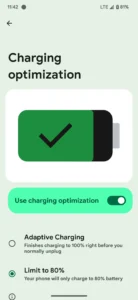
Credit: Google Community
If you have the battery protection feature turned on, the one that caps charging at 80% to protect long-term battery health, you may have noticed something strange. Charging moves at a normal pace until around 77%, then slows to a crawl. Some users are reporting it takes nearly an hour just to go from 77% to 80%, and some phones appear to get stuck at 78% entirely.
It is a frustrating bug, especially if you rely on overnight charging and expect a full 80% by morning. Turning off the limit temporarily in your battery settings will restore normal charging speeds until Google pushes a fix.
Wi-Fi Sign-In Pages Are Draining Batteries Fast
A more unusual report involves captive portals — those sign-in screens that pop up when you connect to public Wi-Fi at a café or hotel. Several users are seeing battery drops of up to 20% in just minutes when trying to log into these networks.
It is unclear whether this is a bug introduced by the March update specifically or a deeper interaction issue, but it is worth keeping in mind if you rely heavily on public Wi-Fi.
A New Play Store Warning Worth Checking
Separately, though it landed around the same time, Google rolled out a notable change to the Play Store on March 1, 2026. App listings now display visible warnings when an app is known to excessively drain battery in the background through what are called partial wake locks, which keep the CPU running even when your screen is off.
It is not directly caused by the March Pixel update, but it is worth opening a few of your most-used apps and checking their listings. If any carry a warning, restricting their background activity in your settings could make a noticeable difference.
What to Do Right Now
A simple restart can clear stuck background processes and has resolved the Wi-Fi portal issue for some users. If you are hitting the 80% charging bug, disabling that limit is the most immediate fix available. And if the drain feels severe, checking your apps against those new Play Store warnings is a practical next step.
Google typically follows major feature drops with smaller patch updates in the weeks that follow. Given how widely the 80% charging bug is being reported, a targeted fix is likely already in the works.