IMDAD

Redmi Pad 2 Pro Review: How Xiaomi Made a Budget Tablet Feel Flagship

Redmi-Pad-2-Pro

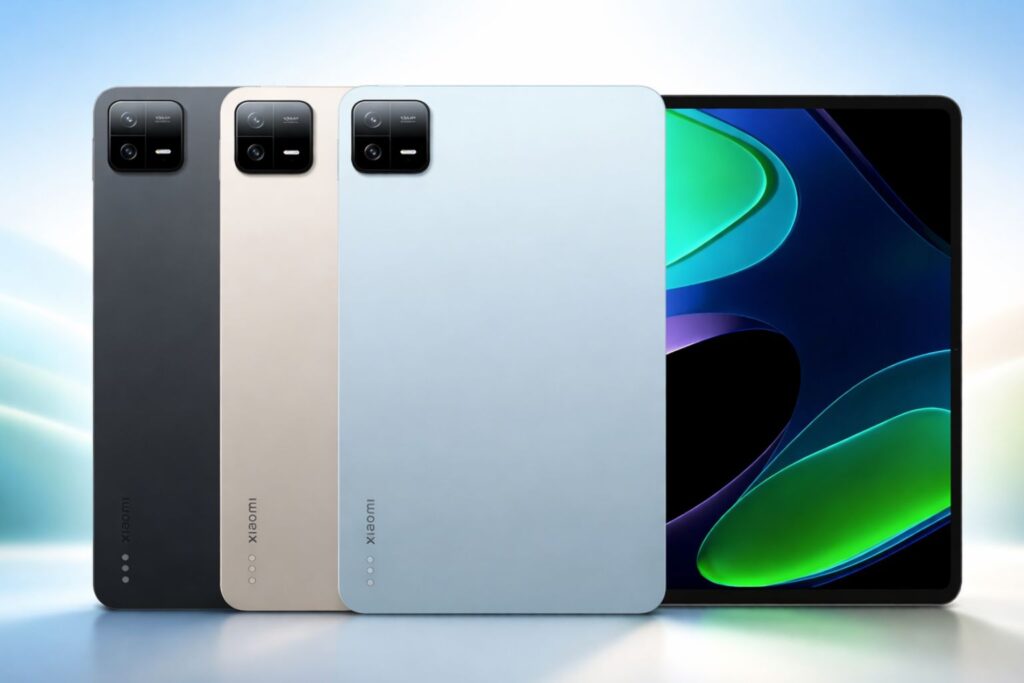
The Redmi Pad 2 Pro aims to close the gap between mid-range price tags and flagship behaviour, delivering a large, high-refresh display, a very big battery and a modern Snapdragon chip on paper, a bold bargain. Redmi Pad 2 Pro Key Highlights Flagship-like Display & Build: 12.1-inch 2.5K 120Hz panel with Dolby Vision support and a premium aluminium design that feels more high-end than its price suggests. Strong Everyday Performance: Powered by Snapdragon 7s Gen 4 with up to 8GB RAM and 256GB storage, delivering smooth multitasking, streaming, and gaming performance. Massive Battery Life: 12,000mAh cell with 33W charging easily lasts multiple days of use, backed by quad speakers with Dolby Atmos for immersive entertainment. Redmi Pad 2 Pro Display, Performance, and Battery Xiaomi’s hardware choices are the story here. The Pad 2 Pro ships with a 12.1-inch 2.5K LCD that supports up to 120 Hz and claims high peak brightness and Dolby Vision certification specs that usually live on pricier slates and instantly lift the experience for streaming, reading and smooth UI motion. The chassis feels weighty in a reassuring way (around 610 g) and the fit and finish lean closer to premium than “cheap plastic,” which helps sell the idea that this is more than a compromise device. Performance punches above the segment average thanks to Qualcomm’s Snapdragon 7s Gen 4 in the global SKU. Day-to-day use app switching, video playback, web browsing and multitasking feels fluid, and lighter games run well without thermal drama. It’s not a flagship silicon contender for sustained 3D workloads, but for most users the combination of a capable SoC and 6–8 GB of RAM (with up to 256 GB onboard and expandable storage) means performance matches the “feel flagship” promise in everyday scenarios Battery life is a clear differentiator. Xiaomi outfits the tablet with a 12,000 mAh cell and 33 W wired charging numbers that translate into multi-day casual use or reliably long single-charge sessions for heavy media consumption. Xiaomi’s own claims include double-digit hours of continuous video playback and multi-day music standby, which align with real-world impressions: long movie binging and extended reading sessions without constant recharging. The trade-off is charging speed; full refills take longer than the fastest flagships, but the size of the tank makes that forgivable for the target buyer. Redmi Pad 2 Pro Audio, Software, and Verdict Audio, IO and extras push the tablet further into “premium-leaning” territory. A quad-speaker setup with Dolby Atmos support gives the Pad 2 Pro strong stereo presence for films and games; Xiaomi also preserves a micro-SD slot (expandable up to large capacities) and a useful accessory ecosystem that includes a stylus and keyboard folio helpful if you want productivity use without buying a high-end convertible. Camera hardware remains basic (8 MP front and rear) fine for video calls but not a selling point which keeps the device honest about where it focuses engineering resources. Software is HyperOS over Android, with tablet-friendly tweaks and Xiaomi’s cross-device features that make the tablet more useful inside a Xiaomi ecosystem. The skin is smoother than earlier iterations, but some rough edges remain in optimized tablet apps and pen latency for pro artists reviewers note the stylus is competent for notes and light sketches but not yet a Pro-level drawing tool. For most buyers, the software adds convenience rather than becoming a reason to buy. The Redmi Pad 2 Pro is a smart, focused effort to deliver flagship feel where it matters screen, sound, endurance and everyday snappiness while trimming corners that won’t matter to most users (cameras, top-tier raw GPU muscle). If your use is media consumption, light productivity, schooling or family tablet duty, this is one of the best value plays in 2025; if you need pro creative apps or the fastest sustained gaming, look to pricier flagships. In short: Xiaomi didn’t fake flagship polish it chose where to spend the budget, and that choice pays off for most people.

Redmi Pad 2 Pro Review: How Xiaomi Made a Budget Tablet Feel Flagship Read More »

Galaxy Watch 8 Can Now Track Skin Temperature, Blood Oxygen & Stress, All at Once (You’ll Be Shocked How Accurate It Is)

Galaxy-Watch-8

Samsung’s Galaxy Watch 8 packs an upgraded health stack that promises to turn your wrist into a continuous wellness sensor tracking skin temperature, blood oxygen and stress all from the same wearable. Here’s what it does, how it measures those signals, and what it realistically means for users. Galaxy Watch 8 Key Highlights Advanced Health Tracking: Monitors skin temperature, blood oxygen, and stress simultaneously for deeper wellness insights. AI-Powered Precision: Smarter algorithms enhance sleep analysis, recovery tracking, and stress detection accuracy. Everyday Wellness Focus: Built to guide healthier habits not diagnose, but help you understand your body better. Galaxy Watch 8 Health Features & BioActive Sensor Upgrades Samsung consolidated several health tools into a tighter package for the Watch 8. The device uses Samsung’s BioActive sensor array to capture heart rate, SpO₂ (blood oxygen), skin temperature and body composition data, while stress tracking draws on heart-rate variability and algorithmic analysis inside Samsung Health. Some outlets also note Samsung experimenting with antioxidant-level testing and new “vascular load” metrics as part of the broader wellness feature set. Galaxy Watch 8 Sensor Accuracy: How Reliable Are Its Health Metrics? Each metric arrives by a different method and with different caveats. Skin temperature is read by an infrared sensor aimed at the wrist surface useful for trend detection (for example, night-to-night changes) but not the same as an oral or tympanic body temperature reading. SpO₂ is estimated optically, using photoplethysmography (PPG) like most wrist wearables; it’s generally reliable for spot checks and sleep monitoring, though results can vary with fit, motion and skin tone. Stress scores are computed from heart-rate variability and contextual signals; they’re a proxy for autonomic load rather than a diagnostic readout of mental health. Samsung’s own support notes conditions that affect accuracy tightness, sensor cleanliness and wear time matter and reviewers stress that wrist sensors are best for trends, not clinical precision. Galaxy Watch 8: Smarter Health Insights, Not a Medical Device For most users the Watch 8’s gain is contextual insight: better sleep scoring that includes temperature changes, nocturnal SpO₂ trends that flag possible sleep-disordered breathing for follow-up, and stress/recovery signals that help shape training and rest. Those are practical gains if you treat the watch as an early-warning and lifestyle tool. But experts and Samsung alike caution that these features are wellness aids, not medical diagnostics abnormal results should prompt confirmation with clinical tests or a doctor. Use the Watch 8 as an advanced personal tracker that elevates daily health awareness while stopping short of medical claims. The Galaxy Watch 8’s ability to monitor skin temperature, SpO₂ and stress together is a meaningful step for consumer wearables: it improves the signal you get about sleep and recovery and makes daily health patterns easier to spot. Just keep the expectations realistic use the watch to inform behaviour and conversations with clinicians, not as a substitute for one.

Galaxy Watch 8 Can Now Track Skin Temperature, Blood Oxygen & Stress, All at Once (You’ll Be Shocked How Accurate It Is) Read More »

Snapdragon 8 Elite Gen 5 vs Dimensity 9500 vs Apple A19 Pro 2025 Flagship Chipset Comparison

Snapdragon-8-Elite-Gen-5-vs-Dimensity-9500-vs-Apple-A19-Pro

Qualcomm’s Snapdragon 8 Elite Gen 5, MediaTek’s Dimensity 9500, and Apple’s A19 Pro. All three jump to advanced 3 nm nodes, pack heavier AI blocks, and promise desktop-like gaming. Here’s the clean, no-fluff breakdown and where each one actually wins. Snapdragon 8 Elite Gen 5 vs Dimensity 9500 vs Apple A19 Pro Quick Highlights Qualcomm’s Snapdragon 8 Elite Gen 5, MediaTek’s Dimensity 9500, and Apple’s A19 Pro are built on 3 nm nodes, though only MediaTek and Apple confirm TSMC’s refined N3P process. Qualcomm, as usual, avoids naming its exact variant but sits in the same efficiency class. On the CPU front, Qualcomm leads with its new third-generation Oryon architecture, clocking up to 4.6 GHz and claiming 20% higher performance with 35% better efficiency over its predecessor. MediaTek pushes a different strategy an “All Big Core” layout featuring one C1-Ultra core at 4.21 GHz, three C1-Premium, and four C1-Pro cores. It’s tuned for high sustained performance across all threads rather than relying on small efficiency cores. Apple’s A19 Pro keeps its traditional 6-core mix (2 performance + 4 efficiency) but backs it with major thermal upgrades via a new vapor-chamber design, giving the iPhone a rare sustained-load edge this year. For graphics, Qualcomm’s new Adreno GPU delivers roughly 20–27% better performance than last gen, complete with full hardware-level ray tracing. MediaTek counters with the Mali-G1 Ultra MC12, advertising 120 FPS ray-traced gaming through its Hyper Engine platform. Apple’s 6-core GPU again flexes custom silicon muscle — Apple claims up to 2× the performance of the A18 Pro in select benchmarks, also featuring hardware RT and GPU-embedded neural accelerators. On the AI side, Qualcomm’s Hexagon NPU brings 37% more speed and efficiency, emphasizing on-device generative AI workloads. MediaTek’s NPU 990 doubles down on LLM token throughput, signaling readiness for real-time AI inference. Apple’s 16-core Neural Engine, meanwhile, ties tightly with GPU-based accelerators, fusing AI and graphics tasks for smoother on-device intelligence. Snapdragon-8-Elite-Gen-5-Specifications Dimensity-9500-Specifications Apple-A19-Pro Apple A19 Pro vs Snapdragon 8 Elite Gen 5 vs Dimensity 9500: GPU, Gaming, and Camera Performance Compared Apple’s A19 Pro GPU delivers a massive 37% boost over A18 Pro, powering stable high-fidelity gaming and superior real-time rendering in optimized titles. Snapdragon 8 Elite Gen 5’s upgraded Adreno brings 25% higher performance and advanced ray tracing, while Dimensity 9500’s Mali-G1 Ultra holds its own at 120 FPS targets with strong efficiency. On imaging, A19 Pro’s deep hardware–software synergy gives unmatched video and computational photography. Snapdragon’s advanced ISP and AI video tools push Android video quality forward, while Dimensity’s Imagiq 1190 enhances 200 MP sensors and HDR stability. Each excels in its own ecosystem Apple for consistency, Qualcomm and MediaTek for flexibility. On-Device AI Power: Snapdragon 8 Elite Gen 5 vs Dimensity 9500 vs Apple A19 Pro Snapdragon 8 Elite Gen 5: A faster Hexagon NPU and memory pathways target bigger local models and multimodal assistants. Qualcomm markets adaptive, on-device personalization and lower gaming latency via AI-optimized Wi-Fi.  Dimensity 9500: NPU 990 improves token/s throughput for Gen-AI (image diffusion upscales, live translation). MediaTek’s recent demos emphasize sustained efficiency so OEMs can keep features on-device without torching battery. Apple A19 Pro: 16-core Neural Engine plus Neural Accelerators in each GPU core; Apple leans into on-device creation (image/video effects, transcription) with tight frameworks and privacy-first defaults. Connectivity, Memory, and Storage Upgrades: Snapdragon 8 Elite Gen 5 vs Dimensity 9500 vs Apple A19 Pro Snapdragon adds the X85 modem and AI-optimized Wi-Fi for lower gaming latency. Dimensity 9500 supports 3GPP Rel-17, Sub-6, carrier aggregation, and UFS 4.1 (4-lane) + LPDDR5X-10667 a throughput win on paper for app loads and asset streaming. A19 Pro specs are tied to iPhone 17 Pro’s platform; Apple doesn’t publish UFS/LPDDR labels, but real-world I/O remains class-leading within iOS. Battery Efficiency and Thermal Performance: Apple A19 Pro vs Snapdragon 8 Elite Gen 5 vs Dimensity 9500 Apple A19 Pro: Apple cites up to 40% better sustained performance in iPhone 17 Pro/Max thanks to the vapor chamber and A19 Pro efficiency good news for long camera or gaming sessions.  Snapdragon 8 Elite Gen 5: Qualcomm claims +35% CPU power efficiency and –20% GPU power at similar performance; expect cooler frames in prolonged 3D loads vs last gen, subject to OEM cooling.  Dimensity 9500: MediaTek emphasizes lower peak power on the ultra core and better MT perf/W vs 9400; phones with modest heat pipes should still maintain high clocks.

Snapdragon 8 Elite Gen 5 vs Dimensity 9500 vs Apple A19 Pro 2025 Flagship Chipset Comparison Read More »

Redmi K90 100W Super Charging Flagship with Snapdragon 8 Elite and Massive 7000mAh Battery

Redmi-K90-100W-Super-Charging

Xiaomi’s Redmi K90 is shaping up to be a power-packed flagship, combining the Snapdragon 8 Elite chipset, a massive 7,000 mAh battery, and blazing 100W fast charging. Designed for performance enthusiasts, the K90 balances speed, endurance, and premium features positioning itself as one of the most capable yet affordable Android flagships of 2025. Redmi K90 Key Highlights Snapdragon 8 Elite Processor: Built for flagship-grade performance with enhanced AI, gaming, and efficiency optimizations. Massive 7,000 mAh Battery: Delivers extended screen time with 100W super-fast charging for quick top-ups. Premium 2K OLED Display: 120Hz refresh rate and HDR10+ support for vivid visuals and smoother interactions. Redmi K90 Performance and Battery The Redmi K90 adopts Qualcomm’s Snapdragon 8 Elite for the main model, which places it in direct contention with current premium Android rivals on CPU and GPU throughput. Xiaomi also appears to target sustained performance with a beefed-up cooling solution and higher RAM options (handy given early benchmark listings showing 12-16 GB configurations). For users who care about raw numbers gaming, AI-assisted features, and multi-tasking the chipset choice is the headline. Battery and charging are the real conversation starters here. Xiaomi’s materials and early teardowns show cells well above the usual mid-range pack various K90 variants are reported with figures between roughly 7,000 mAh and 7,560 mAh and the platform supports 100W wired charging with wireless and reverse-charging options on higher trims. That combination aims to erase the classic trade off between massive capacity and tolerable charge times. Redmi K90 Display, Camera and Price Details The hardware package rounds out in expected flagship fashion: a 6.5 – 6.6-inch OLED panel (near-2K-ish resolution and a 120 Hz refresh rate reported on early spec sheets), a multi-camera array including at least one 50 MP main sensor and a periscope/telephoto on upper trims. “sound by Bose” tuning on some models signals that Xiaomi wants the K90 to be an all-rounder, not just a battery champion. Display peak brightness and camera details will matter for reviewers, but the spec sheet reads like a flagship trimmed for price. The Redmi K90 has officially debuted in China with competitive flagship pricing, marking Xiaomi’s intent to push high-end performance at accessible rates worldwide. The base variant featuring 12GB RAM and 256GB storage is priced at CNY 2,599 (around US $360 / €335), while the 16GB + 512GB configuration costs CNY 3,499 (around US $430 / €400). The top-tier Redmi K90 Pro Max model starts at CNY 3,999 (about US $555 / €515). These prices position the K90 series as an affordable flagship alternative for users seeking top-tier specs including the Snapdragon 8 Elite chipset, a large 7,000 mAh battery, and 100W fast charging without paying premium-brand markups. Xiaomi is expected to roll out the K90 globally under both the Redmi and Poco brands, targeting markets across Asia, Europe, and Latin America where price-to-performance ratios drive buying decisions.

Redmi K90 100W Super Charging Flagship with Snapdragon 8 Elite and Massive 7000mAh Battery Read More »

Realme UI 7 Release Date and Eligible Devices List in India 2025, Check If Your Phone Is Getting It

Realme has started rolling out Realme UI 7 (based on Android 16) and published an open-beta roadmap that names dozens of eligible phones and a phased roll-out schedule. The stable distribution begins in China in November 2025, with India’s open-beta waves covering a large first group in Q4 2025. Realme UI 7 Features and Rollout Details Realme UI 7 brings a visual refresh, smoother animations, AI-driven suggestions and multitasking tweaks atop Android 16. Realme is using a phased approach: flagships and freshly released models lead, followed by mid-range and budget phones over subsequent weeks and months. Realme UI 7 First-Wave Eligible Devices List (Q4 2025) Realme’s roadmap names a first wave of 37 devices for the open-beta rollout in Q4 2025. If your phone is on this list, expect invitations or OTA availability in the open-beta window timing will vary by model and region. The first-wave devices reported by Realme and consolidated by tech outlets are: Realme GT 7 Pro Realme GT 7 Realme GT 7 Dream Edition Realme GT 7T Realme GT 6T Realme GT 6 Realme P3 5G Realme 14T 5G Realme 15 Pro 5G Realme P4 Pro Realme 14 Pro+ 5G Realme P3 Pro 5G Realme P3 Ultra 5G Realme 14 Pro 5G Realme Narzo 80 Pro 5G Realme 15 5G Realme P4 5G Realme 12 Pro+ 5G Realme 12 Pro 5G Realme P1 Pro 5G Realme 13 Pro+ 5G Realme 13 Pro 5G Realme P2 Pro 5G Realme P3x 5G Realme Narzo 80x 5G Realme C75 5G Realme P3 Lite 5G Realme C73 5G Realme Narzo 80 Lite 5G Realme 14x 5G Realme 12 5G Realme Narzo 70x 5G Realme 12x 5G Realme C65 5G Realme Narzo N65 5G Realme C63 5G Realme 13 5G (That set was published as Realme’s first-wave open-beta list and aggregated by multiple outlets.) Realme UI 7 Rollout Timeline and Open Beta Guide Realme UI 7 (based on Android 16) rollout begins in November 2025, starting with flagship GT models in China before expanding to other markets. In India, Realme has confirmed a 37-device Open Beta roadmap scheduled for Q4 2025. Rather than a single global release, the company is using a staged rollout system users will receive invites gradually depending on model and region, and carrier dependencies may further stagger updates. To join the Open Beta, Realme advises users to back up their data and head to Settings → Software Update → three-dot menu → Trial Version/Beta Program to apply. Approval may take time, and installations require at least 5–7 GB of free storage and over 30% battery. Because beta builds can be unstable, Realme recommends installing them on a secondary device when possible. As for rollout certainty, Realme notes that the current roadmap may shift based on ongoing testing and regional performance. Future waves are expected to include additional devices beyond the initial 37. For the most accurate updates, users should follow Realme’s official community channels and regularly check Settings → Software Update on their phone.

Realme UI 7 Release Date and Eligible Devices List in India 2025, Check If Your Phone Is Getting It Read More »

List of Vivo and iQOO Phones Getting 4 Years of Android OS Updates

vivo-x200-cobalt-blue-colour

Vivo and its gaming-focused sub-brand iQOO have begun rolling out a clearer OS-support roadmap: select flagship and upper-mid models are now being listed for four major Android OS updates (with varying security-patch commitments depending on model and region). The pledge is part of the company’s Origin OS 6 / Android-16 rollout and is being highlighted in manufacturer timelines and tech outlets covering the November 2025 update waves. Vivo Phones Eligible for 4 Years of Android OS Updates According to the official Origin OS 6 rollout plan and multiple verified reports, the following Vivo smartphones are set to receive four Android OS updates: Vivo X200 Vivo X200 Pro Vivo X200 Ultra Vivo X200 Pro Mini Vivo X200s Vivo X200 FE Vivo X300 Vivo X Fold 5 Vivo X Flip 2 Vivo X Note 2 These devices will start receiving the Android 16-based Origin OS 6 update in batches from November 2025, beginning with China and followed by global variants. iQOO Phones Eligible for 4 Years of Android OS Updates On the iQOO side, the brand has matched Vivo’s update policy for its flagship lineup. These iQOO phones will be eligible for four major Android OS updates and five years of security patches: iQOO 13 (confirmed) iQOO 13 Pro iQOO 12 iQOO 12 Pro iQOO 11S iQOO Neo 9 Pro iQOO Neo 9S The iQOO 13 series will be the first to benefit from this new commitment, shipping with Android 15 out of the box and expected to receive updates up to Android 19. How Vivo and iQOO Compare with Rivals Vivo and iQOO’s decision to offer four major Android OS updates places them squarely in the same league as OnePlus and OPPO, but still behind Samsung and Google when it comes to long-term software support. Samsung remains the clear leader in update longevity. The Galaxy S24 series and newer models are promised up to seven years of Android OS and security updates, setting a benchmark for the industry. Even mid-range Galaxy A-series phones receive at least four OS upgrades. The same number Vivo and iQOO are now offering for their flagship lines. In practice, that means Samsung devices are likely to stay current for nearly twice as long at the premium end, giving them a distinct edge for users who hold onto their phones for five years or more. Google follows closely behind, with its Pixel lineup also guaranteed seven years of OS and security updates. Pixels tend to receive updates faster and more consistently than most Android phones, which further reinforces Google’s software reputation. OnePlus and OPPO, on the other hand, are aligned more closely with Vivo and iQOO. Their latest flagships such as the OnePlus 12 and OPPO Find X7 series, also receive four Android OS updates and five to six years of security patches. That makes these four brands part of a growing group of Chinese manufacturers taking software support more seriously. However, Vivo and iQOO’s advantage lies in their performance-to-price ratio. While Samsung and Google phones with longer support typically sit in higher price brackets, Vivo and iQOO are offering four OS updates on devices that often cost significantly less. For Indian buyers, this balance between affordability and extended longevity is a practical win, especially as most users upgrade every three to four years.

List of Vivo and iQOO Phones Getting 4 Years of Android OS Updates Read More »

Galaxy Tab S11 Ultra Hidden Settings That Boost Performance

Galaxy-Tab-S11-Ultra-Hidden-Settings

Samsung’s Galaxy Tab S11 Ultra is a slab-style productivity tablet with a 14.6-inch AMOLED display, a very large 11,600-mAh battery and an S Pen in the box, hardware designed for long sessions of sketching, DeX multitasking and media work. Galaxy Tab S11 Ultra Hidden settings Start with Device care’s performance profile. Open Samsung’s Settings → Battery and device care → Performance profile and pick the profile that suits you. “Standard” balances everything; switching briefly to a higher performance profile clears CPU throttles for demanding apps, while “Light” saves battery when you don’t need peak speed. Use this deliberately: switch up for video export or gaming, then back to Standard. How to use it: Choose Standard for everyday use. Switch to High performance before gaming, rendering, or multitasking in DeX mode. Return to Standard or Light to save battery when you’re reading or browsing. Turn on Auto-Optimize (Device care → Optimize now → Automation → Auto optimize daily). That single tap closes runaway background apps, clears memory and runs checks automatically; it’s an instant, low-risk tidy-up that keeps the system from accumulating micro-lag over a week. Schedule it overnight to avoid interruptions. Why it matters: This closes background apps and clears temporary cache every day without user input  keeping performance consistent. Use App power management / Background usage limits for apps you don’t want running all the time. Put social apps, streaming services or experimental widgets into “deep sleep” they’ll stop chewing CPU and wake locks in the background. If an app needs background activity, whitelist it explicitly; otherwise, aggressively limiting background behaviour reduces thermal throttling and improves sustained performance. Lower the refresh rate when you don’t need it. The S11 Ultra supports adaptive high refresh rates; switch Settings → Display → Motion smoothness to a lower option (or standard/60Hz) when you’re doing long editing sessions or reading — that saves a lot of battery and reduces heat, which in turn keeps the chipset from down-clocking. Toggle it back for gaming or animation-heavy work. If you use DeX a lot, prefer Extended Mode selectively. DeX extended setups (external monitor + tablet) speed up multitasking but shift the workload to GPU/CPU and can raise temperatures. For true “laptop-replacement” work, use DeX, but if you need long, heavy exports, run them on Standard Android first or plug in a power source to avoid mid-job throttling. Samsung’s recent DeX updates explicitly expand extended monitor workflows; use that feature where it improves windowed multitasking. Tips: Use DeX only when docked or plugged into power for long work sessions. Disable animations from Developer options if multitasking feels sluggish. Tweak S Pen settings to reduce needless redraws and help UI responsiveness. In Samsung Notes and Air Command, disable live preview or high-sampling features you don’t need for casual notes; keep high-sampling only for final sketches. The S Pen tools are powerful, but they can increase background workloads if every stroke is being processed with extras like handwriting recognition in real time. Use Battery protection and the device’s charging limits for longevity and consistent performance. Enabling battery protection (stop charging at 85%) reduces long-term battery wear and prevents heat build-up during top-up cycles useful if you keep the tablet plugged while doing CPU-heavy tasks. This keeps thermal behavior more predictable under load. Clean storage and monitor memory usage regularly. From Device care, use Storage → Unused apps and Memory → Clean now to free up space and RAM; low free storage and persistent caches are classic causes of stutter during multi-app workflows. Scheduling these cleanups (or using Auto-Optimize as noted) keeps the system snappy without manual babysitting. Quick checklist (do these first): set Performance profile when you need speed, enable Auto-Optimize daily, deep-sleep nonessential apps, drop Motion smoothness to 60Hz for long sessions, and avoid prolonged charging while running heavy exports. Those five moves deliver the biggest real-world uplift without sacrificing features you actually want.

Galaxy Tab S11 Ultra Hidden Settings That Boost Performance Read More »

Full List: Upcoming Snapdragon 8 Elite Gen 5-Powered Smartphones in 2025

Snapdragon 8 Elite Gen 5

Qualcomm’s Snapdragon 8 Elite Gen 5 is set to power a new wave of flagship smartphones in 2025, promising unmatched AI performance and efficiency. Leading brands like Xiaomi, OnePlus, iQOO, and Samsung are readying their top-tier devices with this cutting-edge chip, here’s every upcoming model to watch. Xiaomi 17 Series Xiaomi’s latest flagship line up the Xiaomi 17 series (which includes the Xiaomi 17, 17 Pro, and 17 Pro Max) was unveiled in China in late September 2025, marking the first phones to ship with Qualcomm’s new Snapdragon 8 Elite Gen 5 chipset. These 3nm-based phones run on Android 16 with Xiaomi’s HyperOS 3, and boast up to 16 GB of RAM and 1 TB of storage. Both Pro models include a futuristic secondary M10 AMOLED display on the back (capable of 3,500 nits peak brightness) for widgets, selfie previews and “Post-it” note reminders. he camera hardware is heavily upgraded: all three 17-series models use a triple 50MP Leica-tuned rear camera setup (LightHunter 950L main sensor, 50MP ultrawide, and 50MP periscope telephoto). The 17 Pro Max stands out with a massive 6.9-inch 2K OLED screen, a very large 7,500 mAh battery (with 100W wired and 50W wireless charging), and a built-in Ultra Wideband (UWB) chip. The smaller 17 Pro uses a 6.3-inch display and a 6,300 mAh battery (also 100W wired charging), while the standard Xiaomi 17 is a compact 6.3-inch, 120Hz phone with a 7,000 mAh battery and wireless charging. All three run Xiaomi’s new “HyperIsland” software feature (similar to a Dynamic Island) and support HyperOS AI tools. These phones represent Xiaomi’s cutting-edge innovations (dual screens, high-speed charging, multi-50MP cameras) around the SD 8 Elite Gen 5. There is no confirmation yet for an India release date, but reports suggest the Xiaomi 17 series could reach global markets including India by late 2025 or early 2026. Related articles: realme Neo 8 Launches With 8,000 mAh Battery and 165 Hz Display iQOO 15 iQOO (Vivo’s performance sub-brand) is set to unveil its new flagship iQOO 15 in China on October 20, 2025, and it will be powered by the Snapdragon 8 Elite Gen 5 processor. The iQOO 15’s design is striking: it features a dynamic colour-shifting back (e.g. its crimson red version shifts to a swirled pattern at angles) and a sleek metallic frame. The display is a giant 6.85-inch Samsung Everest OLED panel with 2K resolution and a fast 144 Hz LTPO refresh rate, boasting up to 6,000 nits peak brightness (2,600 nits full-screen) thanks to Samsung’s new M14 luminescent material. In terms of optics, leaks and teasers hint at a triple 50 MP rear camera array (50MP wide, 50MP ultrawide, 50MP periscope telephoto) an official poster confirms a periscope lens for extended optical zoom. Powering the heavy-duty experience is a 7,000 mAh battery with 100W wired and 50W wireless charging, along with an ultrasonic fingerprint reader and stereo speakers. iQOO has also included a “Q3” dedicated gaming co-processor for sustained performance and a large X-axis haptic motor for feedback. This combination promises top-tier performance (Notebook Check notes iQOO claims it can break 4 million points on AnTuTu) and cutting-edge features. The iQOO 15 is one of the first SD 8 Elite Gen 5 phones to be teased for India; the company is expected to launch it in India around November 2025, following its China debut. iQOO Neo 11 Alongside the flagship, iQOO is preparing a more affordable gaming-oriented model, the iQOO Neo 11. This mid-premium phone is also tipped to carry the Snapdragon 8 Elite Gen 5 chipset. Leaks suggest the Neo 11 will have a flat 6.8-inch 2K OLED display (likely 144 Hz) with an in-display ultrasonic fingerprint sensor, and a refined build with a metal mid-frame and IP68 dust/water protection. Power will come from a giant 7,500 mAh battery and 100W fast charging, while gaming features include iQOO’s “Monster Supercore Engine” for sustained peak performance. The emphasis on long battery life and thermal management (as in past Neo models) is clear. Essentially a “Lite” variant of the iQOO 15, the Neo 11 should retain many high-end traits (fast charging, gaming focus) but in a slightly cheaper package. iQOO is expected to launch the Neo 11 at the same October 20 event in China, and it may reach India (where the Neo series has a following) in the months after, likely in late 2025. Related articles: Xiaomi HyperOS 3.1: New Design, Android 16, and iOS-Style Features Realme GT 8 Pro Realme’s next GT-series flagship is the GT 8 Pro, which was unveiled in China in October 2025 and is now expected to reach India very soon. It is confirmed to use Qualcomm’s Snapdragon 8 Elite Gen 5 platform and will be Realme’s first Gen 5-equipped phone outside China. Realme has been teasing a radical camera design for the GT 8 Pro. Notably, this phone marks Realme’s first major camera collaboration since 2019 – Realme has announced a partnership with Japanese imaging firm Ricoh for this device. Rumors suggest the rear cameras include a 50 MP Sony LYT-700 primary sensor plus an ultra-wide, and a massive 200 MP Samsung HP5 periscope telephoto lens (likely 5× optical zoom). The GT 8 Pro also sports a 2K resolution display (likely 6.7–6.8 inches) with high refresh rate, and a large battery to support the power-hungry chip and camera system. Realme has confirmed India launch plans: sources say the GT 8 Pro is tipped to debut in India around November 10–12, 2025, making it one of the first Indian phones with the SD 8 Elite Gen 5. In summary, the GT 8 Pro combines the new flagship chipset with Realme’s enhanced camera tech (courtesy of Ricoh) and fast-charging battery for the premium segment. OnePlus 15 OnePlus has officially confirmed its next flagship will be called the OnePlus 15, skipping “14” for auspicious reasons. The OnePlus 15 is all but certain to be built around the Snapdragon 8 Elite Gen 5 chip, continuing the brand’s tradition of flagship specs. Leaks and teasers suggest the OnePlus 15 will use a flat 6.78-inch 1.5K

Full List: Upcoming Snapdragon 8 Elite Gen 5-Powered Smartphones in 2025 Read More »

ASUS Vivobook S16 OLED (2025) Review: Snapdragon X power, OLED visuals, and marathon battery

ASUS-Vivobook-S16

ASUS’s 16-inch Copilot+ PC combines Qualcomm’s Snapdragon X platform with a thin and light metal chassis, long battery life (claimed up to 32 hours), and an OLED display option. It’s built for quiet, excellent everyday performance, on-device AI features, and excellent portability. Buyers should just pay attention to Windows-on-ARM app compatibility and also note that ASUS offers multiple S16 variants (Intel/AMD as well), so confirm the exact model code when purchasing. ASUS Vivobook S16: Key specification Processor: Qualcomm Snapdragon X (CoPilot+ PC Class) with up to 45 TOPS NPU for on-device AI tasks. Memory and Storage: Up to 32GB LPDDR5x (8448 MHz); up to 1TB PCIe 4.0 SSD. Display Options: 16-inch FHD OLED (16:10) or 2.5K IPS (16:10) depending on region/configuration. Battery: 70 Wh; ASUS claims up to 32 hours; 60% battery charge in about 49 minutes of fast charging Size and Weight: 1.59 cm thin, starting at about 1.74 kg Ports: 2x USB-A (3.2 Gen1), 2x USB4 Type-C (40 Gbps, DP/PD), HDMI 2.1 (TMDS), 3.5 mm combo jack Connectivity and Camera: Wi-Fi 6E, Bluetooth 5.x (varies by configuration), 1080p IR camera for Windows Hello OS: Windows 11, dedicated Copilot key Model Family Note: The “S16” line is also available in Intel/AMD trims. This review focuses on the S3607QA (Snapdragon X). ASUS Vivobook S16: Design & build quality The Vivobook S16 retains ASUS’s minimalist aesthetic: clean lines, a metal lid with a subtle CNC-engraved logo, and a chassis that measures just 1.59 cm even at its thinnest. Weighing around 1.74 kg, it’s light for a 16-inch machine, easily fits into a backpack, and feels sturdy on a desk. Finish options vary by region (Cool Silver, Matte Gray, Salvia Green, Peachy), but all are subdued rather than attractive. The hinge is smooth, deck flex is minimal for this category, and overall it’s travel-friendly for a large-screen laptop. Everyday ergonomics The lid opens with one hand, rubber feet keep it stable, and the cooling design promotes quiet operation—ARM laptops typically do this due to their efficiency. If you travel or attend classes, the weight/size/battery combination is a big advantage over bulky creator or gaming rigs. Related Articles: Redmi Note 15 Pro Leaked Price Surfaces Ahead of Launch, 200MP Camera Tipped ASUS Vivobook S16: Display OLED punch (or a higher-res IPS, depending on SKU) This is where you’ll need to pay attention to the exact configuration. ASUS offers two display options for the Snapdragon X S16: a 16:10 FHD OLED panel or a 2.5K IPS option. If you’re looking for true blacks and vibrant colors for movies and creative work, the OLED version is best suited; if you prefer a matte look and potentially higher refresh/clarity at 2.5K, IPS options are offered in some regions. Either way, the 16:10 aspect ratio is ideal for documents, timelines, and web work. Color coverage on ASUS OLED is generally wide (DCI-P3 100% on many models), and response times are fast for UI smoothness. Tip: ASUS also sells an Intel Core Ultra S16 (S3607) and an older S16 OLED (S5606) with different 3.2K/120 Hz panels. Don’t mix reviews/specs—match the model code (S3607QA for Snapdragon X) before you quote resolution/refresh in your article or buying guide. ASUS Vivobook S16: Keyboard, trackpad, and webcam The keyboard has single-zone RGB backlight (brightness steps) and well-spared keys with comfortable layouts. The larger ergo sense touchpad of Asus seems to be accurate, with smooth gesture tracking. At the top, you get a 1080p IR webcam with Windows Hello Facial Sine-in Support, as well as AI Noise Reduction of Asus for calls. For hybrid work or studies, this is a strong setup that protects from the trap of “720p camera”, in which several budget 16-inch cameras are still trapped. Related Articles: We Tested 20+ Campus Laptops: Here Are the Only 5 That Matter in 2026 ASUS Vivobook S16: Performance Snapdragon X machines are part of Microsoft’s Copilot PC Wave-which are dependent on built-in NPU (up to 45 TOPS) so that locally can run AI features (summarization, transcription, effects) as well as reduce power consumption. The S16 remains response, cool and cool for daily tasks – dastavez, 20 browser tabs, video calls, light photo editing. Asus has also posted the results of almost the same plugged/unplugged Geekbench 6, which is a good sign of the stability of performance on the battery. ASUS Vivobook S16: Battery life Asus has described the 70 wh pack as a 32-hour launch on a light workload-an aggressive claim, but if you run less in mixed use (Wi-Fi, Office, Call, Call, Some Streaming), you will still get a battery backup that is full of battery backup all day, which is difficult to equalize in a 16-inch model. If required to charge a battery between meetings, up to ~ 60% fastened charging proves to be helpful in about 49 minutes. The efficiency of ARM is the secret here. Ports & connectivity No dongle drama. The S16 (S3607QA) includes: 2x USB 3.2 Gen1 Type-A (5 GBPS) 2X USB4 (40 GBPS) Type-C display with port power delivery HDMI 2.1 (TMDS) 3.5 mm combo audio jack. The areas include Wi-Fi 6E and Bluetooth 5.x, as well as an IR camera for face unlock. There is no SD/Micro SD slot and Thunderbolt (although USB4 is present). If you need a card engest, plan a USB-C reader. ASUS Vivobook S16:Upgradability & thermals Memory is LPDDR5X (on-board), so buy in advance according to your need (16-32GB configurations are available according to the field). Storage is a single M.2 2280 pcie 4.0 slot, making it easier to upgrade SSD later. ARM chips usually run cold; The S16 provides cool sounds under the daily load, while maintaining the performance of any clear throttle in the general office burst. Related Articles: Realme 15x 5G launched in India: Powerful 7,000mAh battery and 50MP camera revealed Who can buy this Students and professionals who want a large screen with light weight and long battery life. Everyday productivity, web, office, research, calls, lightweight content creation. Users are excited about AI features that

ASUS Vivobook S16 OLED (2025) Review: Snapdragon X power, OLED visuals, and marathon battery Read More »

Samsung Galaxy Tab A11+ Review: 90Hz, 7,040mAh, Dolby Audio & 7-Year Updates

Samsung Galaxy Tab A11+

Samsung’s new Galaxy Tab A11+ emerges as a serious mid-range contender: an 11-inch tablet with extensive software support, balanced performance, and an emphasis on media-centric features like Dolby Audio and a 90Hz panel. If you’re looking for a budget-friendly tablet for streaming, light productivity, and family use, here’s an in-depth, SEO-friendly look at the Tab A11+’s features. Xiaomi Pad 7 Key Specifications Display: 11-inch LCD, ~1900×1200 resolution, 90Hz refresh rate Chipset: MediaTek Dimensity 7300 with 4GB/8GB RAM options Battery: 7,040mAh capacity, 25W fast charging Software: Android 16, One UI 8.0, 7 years of updates Audio: Dolby Atmos speakers Xiaomi Pad 7 Design & Display Design and Build Quality The Galaxy Tab A11+ is made from a combination of plastic and Aluminium, and it’s practical. It’s light, thin, and easy to hold for long periods of Netflix viewing or reading. Its bezels are slightly thicker than those of the flagship Galaxy Tabs, but this makes it safer, especially for kids. Screen Quality & Refresh Rate The 11-inch LCD offers a resolution of approximately 1900×1200, which is sharp enough for most media tasks. The real advantage is the 90Hz refresh rate, which makes scrolling, animations, and even casual gaming quite smooth. Colors are vibrant, brightness is good, and outdoor reading is acceptable for a mid-range tablet. Related Articles: Xiaomi Redmi Pad 2 Pro Launch: Big Screen, Big Battery, Budget Price Xiaomi Pad 7 Performance & Chipset MediaTek Dimensity 7300 Explained Samsung chose the MediaTek Dimensity 7300 processor for efficiency. While it’s not a gaming powerhouse, it strikes a balance between performance and power savings. It handles social apps, browsing, video playback, and light gaming with ease. Everyday Usage & Gaming Performance In everyday use, the Tab A11+ feels fast, especially if you opt for the variant with 8GB of RAM. Multitasking with multiple browser tabs or streaming while chatting is smooth. For gaming, games like PUBG Mobile and Asphalt 9 can be played at medium settings—don’t expect flagship-level graphics, but casual gamers will be satisfied. Xiaomi Pad 7 Battery Life & Charging 7,040mAh Battery Capacity The 7,040mAh battery is enough for a full day of mixed use. With light use (primarily streaming or reading), you can get through several days. Students and binge-watchers won’t need to reach for a charger as often. 25W Fast Charging The Tab A11+ supports 25W fast charging. This isn’t the fastest charging among tablets, but combined with the efficient chipset, it keeps downtime to a minimum. Expect a full charge in about 2 hours—enough for a quick charge before movie night. Xiaomi Pad 7 Cameras & Audio Rear & Front Camera Setup The Tab A11+ has an 8MP rear camera and a 5MP front camera. Both are suitable for video calls, online classes, and document scanning, but they can’t replace your phone for photography. Dolby Atmos Audio & Speaker Experience The most striking feature here is the audio. The Dolby Atmos-tuned speakers deliver surprisingly immersive sound for a mid-range tablet. Whether you’re watching movies, attending Zoom classes, or listening to music, the audio clarity and stereo separation are impressive for this price. Related Articles: Xiaomi Pad 8 Pro Geekbench Leak Reveals Snapdragon 8 Elite’s Desktop-Class Power in a Tablet Xiaomi Pad 7 Cameras & Audio One UI 8.0 with Android 16 The Galaxy Tab A11+ runs on Android 16 and One UI 8.0. This skin from Samsung is clean, feature-rich, and optimized for the large display. Samsung’s 7-Year Update Promise One of the biggest wins is seven years of major updates and security patches. This makes the Tab A11+ stand out against rivals from Xiaomi, Realme, or Lenovo, which usually promise far less. Productivity with DeX Mode The Plus model supports Samsung DeX. This feature transforms the tablet into a desktop-like interface when connected to a keyboard or external display—a major advantage for students and professionals who occasionally need productivity tools. Xiaomi Pad 7 Storage, Ports & Connectivity Storage & Expandability with microSD Storage options include 64GB and 128GB, but the real convenience comes from the microSD slot for up to 1-2TB. This is ideal for users who download a lot of movies, e-books, or offline study materials. Connectivity Options (Wi-Fi/5G, Bluetooth, Ports) Depending on your market, you’ll find Wi-Fi-only and LTE/5G variants. Standard connectivity includes Bluetooth 5, a USB-C port, and a 3.5mm headphone jack in some regions—it’s still a useful feature that many tablets omit. Related Articles: Moto Pad 60 Neo Debuts in India: Specs, Price and Flipkart Sale Date The Galaxy Tab A11+ vs. The Competition Rivals in the Same Price Bracket Direct competitors include the Xiaomi Pad 7, Lenovo Tab series, and Realme Pad X. Some rivals pack slightly better processors or AMOLED screens, but fall short in long-term software support. Why Choose Samsung’s A11+ Samsung’s advantage is clear: longevity and ecosystem. If you already have a Galaxy phone or Galaxy Buds, the A11+ integrates seamlessly with your setup. Add Dolby Atmos audio, microSD expansion, and DeX, and it becomes an all-rounder in this category. Closing Arguments The Samsung Galaxy Tab A11+ is a mid-range tablet built for the long haul, offering solid performance, Dolby Audio, a large battery, and unmatched 7-year software support, making it one of the most dependable tablets in its class.

Samsung Galaxy Tab A11+ Review: 90Hz, 7,040mAh, Dolby Audio & 7-Year Updates Read More »

At Express Coverage 24, we bring you the latest in technology, gadgets, and digital trends all in one place. From in depth reviews and expert insights to breaking tech news, our goal is to keep you informed and ahead in the fast moving world of innovation. Whether you are a tech enthusiast or just curious about the next big thing, we deliver reliable, easy to read articles that matter.

Content Transparency

At Express Coverage 24, we value honesty, accuracy, and trust. Every article, review, and news update published on our platform is created with thorough research and a commitment to providing reliable information. We do not promote products or technologies without careful evaluation, and whenever opinions are shared, they are clearly marked as such. Our mission is to keep our readers informed with unbiased, fact-based content while being transparent about our sources, partnerships, and review processes.