In 2026, the tablet market has shifted from luxury entertainment devices to essential academic tools. For many students, the choice often comes down to the iPad or a high-end Samsung Galaxy Tab.
However, Lenovo has carved out a significant niche by offering devices that prioritize the three pillars of student productivity: precision note-taking, reliable battery life, and practical value.
If you are looking for a device that balances performance with a student-friendly budget, here is a breakdown of the best Lenovo tablets currently available.
1. The Best Overall: Lenovo Idea Tab Pro (12.7")
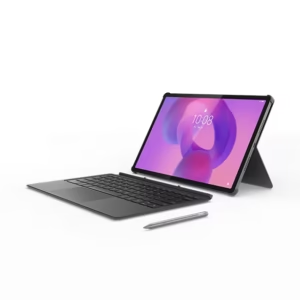
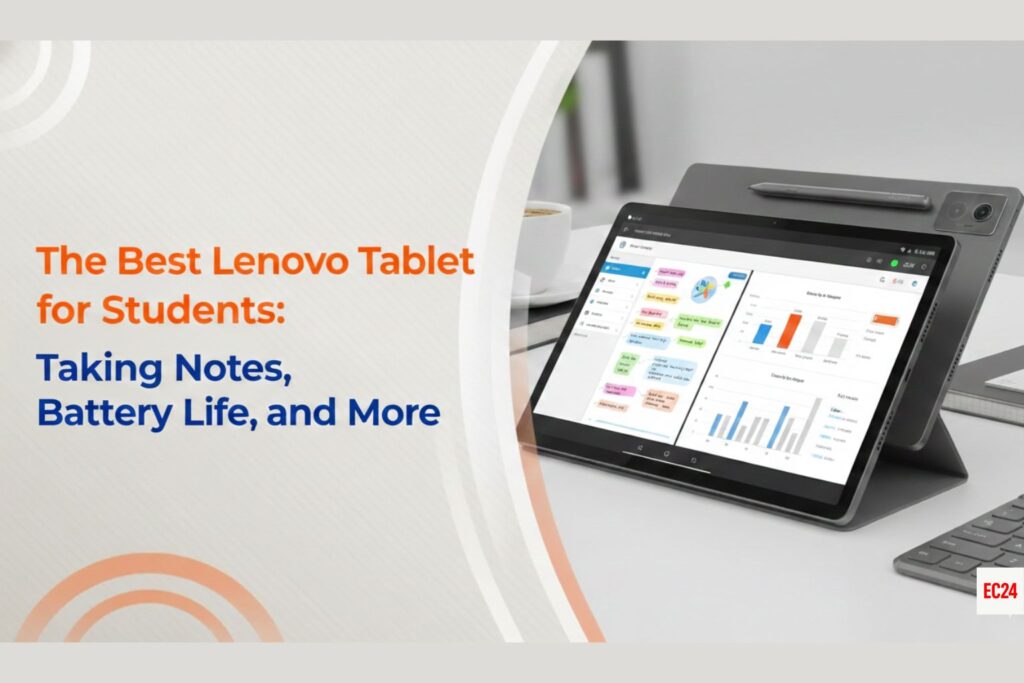
For university students who need a “laptop replacement,” the Idea Tab Pro is the current flagship recommendation. It offers a large canvas and high-end specs that rival much more expensive competitors.
Note taking: It features a 12.7 inch 3K display with a 144Hz refresh rate. This high refresh rate is critical for note taking as it reduces latency, the small delay between your pen movement and the ink appearing on the screen.
Battery Life: Equipped with a massive 10,200mAh battery, it comfortably lasts through a full day of back-to-back lectures. It also supports 45W quick charging, allowing you to top up significantly during a 30-minute lunch break.
Best For: Multitaskers who want to run split-screen apps (e.g., a PDF textbook next to a note-taking app).
2. The Practical Student Choice: Lenovo Idea Tab (11")
If the 12.7-inch Pro model feels too bulky for your backpack, the standard Idea Tab (the 2026 update to the popular M11/P11 lineage) is the sweet spot for portability.
Note-Taking: This model often features the Matte Edition Display. This is a game-changer for students because the etched glass feels like paper, providing “grit” when writing with the Lenovo Tab Pen Plus. It also drastically reduces glare under harsh classroom fluorescent lights.
Battery Life: The 7,040mAh battery is smaller than the Pro, but because it powers a smaller, more efficient 11-inch screen, it still delivers roughly 10–12 hours of active use.
Best For: High school and college students focused primarily on handwritten notes and digital textbooks.
3. The Budget Specialist: Lenovo Tab M11
For those who need a reliable digital notebook without the premium price tag, the Tab M11 remains a staple in the lineup.
Note-Taking: It is bundled with the Lenovo Tab Pen and comes pre-loaded with specialized software like Nebo and MyScript Calculator, which can convert your handwriting into clean, searchable text or solve handwritten equations in real-time.
Battery Life: It offers solid “all-day” performance, though it lacks the fast-charging speeds of the Idea Tab Pro.
Best For: Students on a strict budget who need a dedicated device for reading and basic note-taking.
Key Features to Look For in a Student Tablet
When comparing these models, pay attention to these three technical factors that will impact your daily study routine:
Stylus Compatibility
Not all pens are created equal. Look for the Lenovo Tab Pen Plus. It supports palm rejection (so you can rest your hand on the screen while writing) and pressure sensitivity, which makes your digital handwriting feel more natural.
Charging & Longevity
In a student’s schedule, “All-Day Battery” usually means 8–10 hours of screen-on time. Check for USB-C Power Delivery (PD) support. This allows you to use the same charger for your laptop and your tablet, lightening your bag.
Desktop Mode
Lenovo’s Productivity Mode allows you to use the tablet with a taskbar and windows, similar to a PC. When paired with an optional folio keyboard, the Idea Tab Pro and Idea Tab can function as lightweight laptops for writing essays or emails.
Final Verdict: Which One Should You Buy?
Buy the Idea Tab Pro if you want the largest screen possible for multitasking and plan to use it as your primary computer.
Buy the Idea Tab (Matte Edition) if you take a high volume of handwritten notes and want the most comfortable writing experience.
Buy the Tab M11 if you want the most affordable entry point into the Lenovo ecosystem without sacrificing the pen experience.