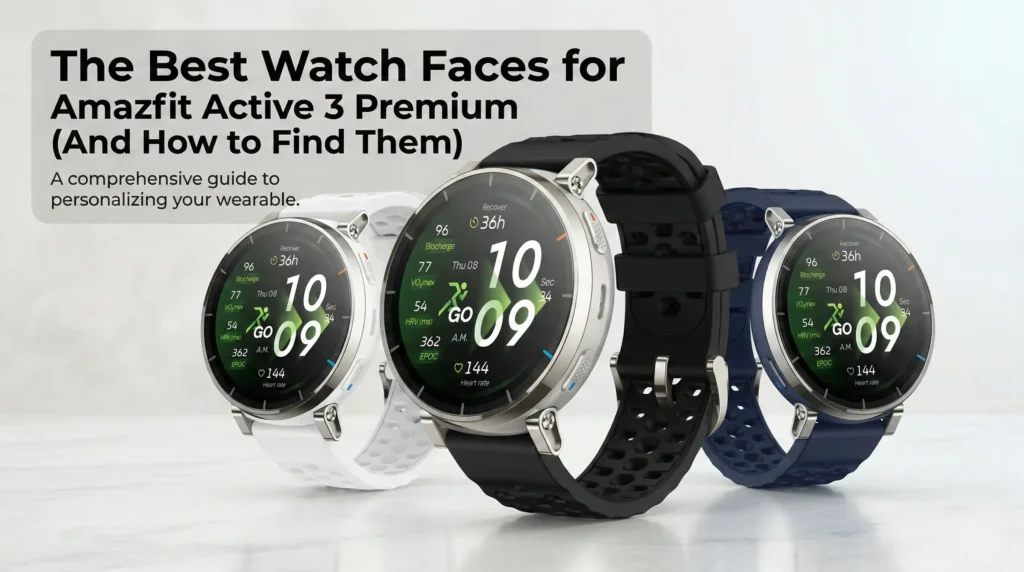
The Amazfit Active 3 Premium has one of the sharpest smartwatch screens you can buy under $200. It features a 1.32-inch AMOLED display with a 466 x 466 resolution, 353 PPI pixel density, and a peak brightness of 3,000 nits. The display is protected by sapphire glass for added durability.
In India, the Amazfit Active 3 Premium is expected to be priced at around ₹16,999, positioning it in the upper mid-range smartwatch segment.
However, what most buyers do not realize is that the watch face you choose significantly impacts overall usage. It affects battery life, visibility under direct sunlight, and how quickly you can read essential metrics during workouts.
Why Your Watch Face Choice Actually Matters
The Amazfit Active 3 Premium uses an AMOLED panel, which means pixels displaying true black are completely switched off and consume virtually no power. Choosing a watch face with a deep black background can meaningfully extend battery life beyond the advertised 12-day typical usage rating.
In contrast, watch faces filled with bright gradients, animated elements, and constantly refreshing widgets can drain the 365 mAh battery at a noticeably faster rate.
With a 353 PPI pixel density, even compact data widgets such as heart rate, step count, and calorie tracking appear crisp and sharply defined. This level of clarity remains intact even under strong outdoor sunlight, making efficient information layout and high-contrast design particularly valuable for quick glances during workouts or daily use.
The 4 Best Watch Face Styles for the Active 3 Premium
1. Data-Rich Fitness Faces
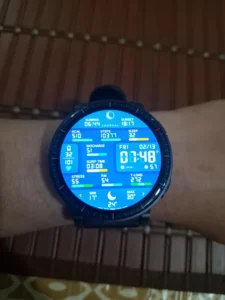
If you’re a runner, cyclist, or gym regular, this is your default. Modular fitness faces pack heart rate, steps, calories, battery level, and weather conditions onto a single glanceable screen — no swiping required during a workout.
Look for faces that use high-contrast text against a black background. You get the data you need and the battery benefits of AMOLED at the same time.
Best for: Training days, race prep, anyone who tracks metrics closely.
2. Minimalist Black Faces
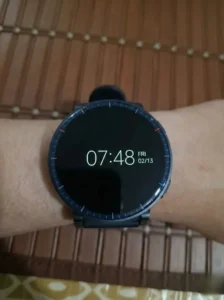
Clean, distraction-free, and battery-friendly. A thin digital clock on a pure black background is all many people need day-to-day — and it’s one of the best ways to stretch the Active 3 Premium’s battery well beyond its typical rating.
Avoid faces with constant animations or live weather widget refresh — these are silent battery killers.
Best for: Travel, office wear, sleep tracking, long trips away from a charger.
3. Classic Analog Faces
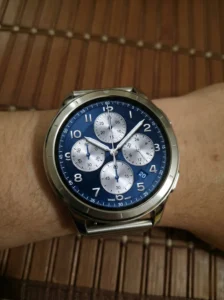
The Active 3 Premium isn’t built like a typical plastic fitness tracker. Its stainless steel frame and sapphire glass give it the look of a proper watch — and a good analog face completes that impression convincingly. The Apex Silver and Atlas Blue colorways especially pair well with metallic-looking chronograph faces.
Some of these digital faces mimic the depth and texture of traditional watch dials surprisingly well on a 466 x 466 AMOLED screen.
Best for: Office environments, formal occasions, everyday wear when you don’t want to look like you’re wearing a fitness tracker.
4. Custom Photo Faces
Zepp OS lets you set any photo from your smartphone gallery as your watch face — family, pets, travel shots. The official Zepp app lets you adjust the clock position so it doesn’t cover the subject of your photo.
It’s a small thing that makes the watch feel genuinely personal rather than off-the-shelf.
Best for: Anyone who wants their wearable to feel like theirs.
Where to Download Amazfit Active 3 Premium Watch Faces
Zepp App Store — The safest starting point. Open the Zepp app, go to your device settings, tap Watch Faces, and browse hundreds of free and paid options specifically designed for the 1.32-inch screen.
AmazFaces / Watchfaces for Amaz Watches — Available on both iOS and Android, these community-driven apps host massive libraries with thousands of designs. They sync directly to your watch over Bluetooth.
Amazfit Watchface Editor — For people who want total control without any coding. Drag and drop widgets, adjust fonts, rearrange health metrics, and create something completely custom from scratch.
How to Change Your Watch Face in Under 30 Seconds
From the watch: Wake the screen → press and hold the current face → swipe left or right to browse stored faces → tap to apply.
From the Zepp app: Open the app → go to your Active 3 Premium profile → tap Watch Faces → select and sync.
That’s genuinely it. The whole process takes less time than unlocking your phone.
The Amazfit Active 3 Premium’s display is one of its best features — and the watch face sitting on top of it should work as hard as the hardware underneath. Whether you want faster access to fitness data, longer battery life, a cleaner look, or just something that feels personal, there’s a face that fits. The only way to find your favorite is to experiment.