IMDAD

Top 5 boAt Watches Launched in 2025 You Can Buy Under ₹2500 Today
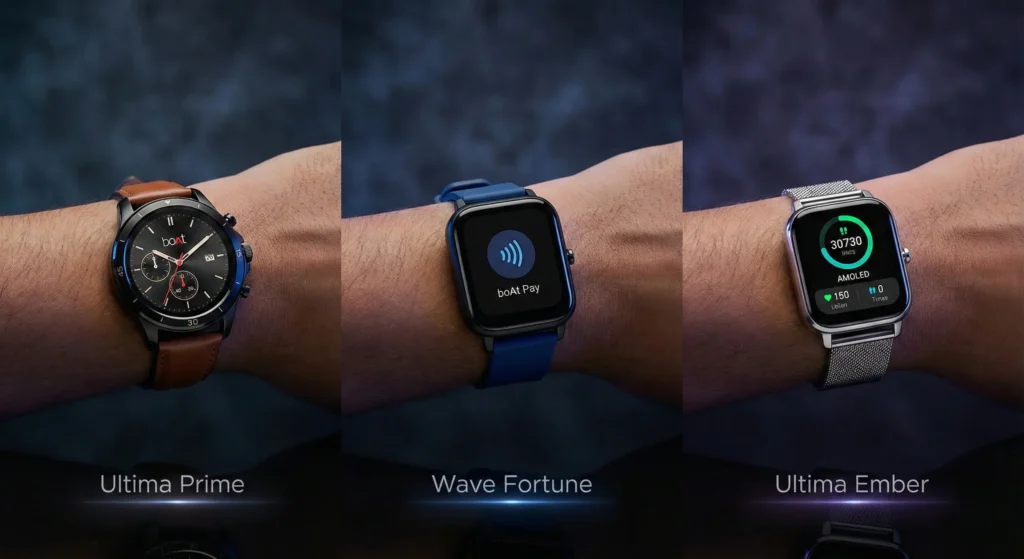
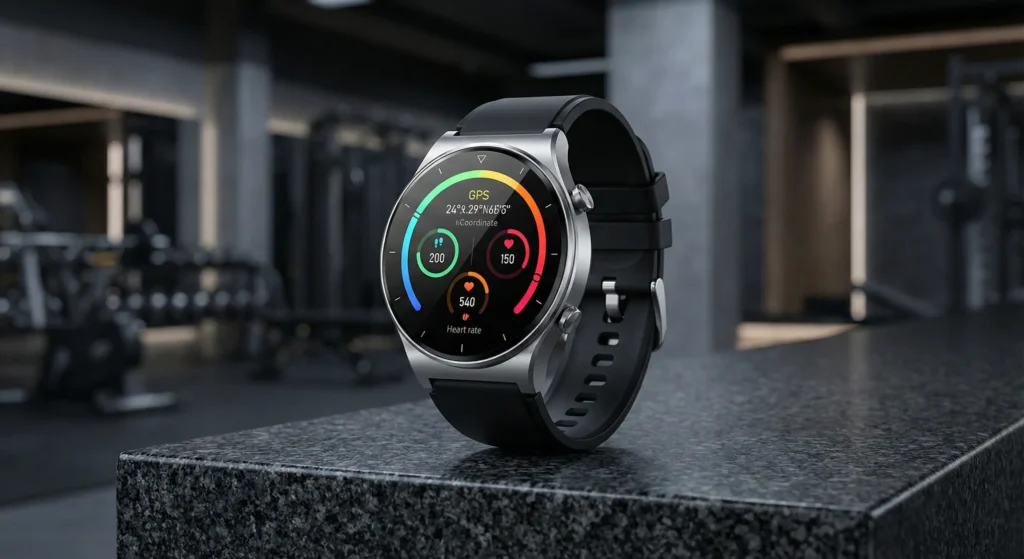
A side-by-side comparison of three boAt smartwatches: the circular boAt Ultima Prime with a leather strap, the boAt Wave Fortune with boAt Pay, and the boAt Ultima Ember with a metallic mesh strap.

It’s 2025, and let’s be honest—finding good tech on a tight budget is getting harder. You want the latest features—AMOLED screens, AI voice assistants, and killer battery life—but you don’t want to spend a month’s rent on an Apple Watch. If you’ve got ₹2500 burning a hole in your pocket, boAt has absolutely crushed the sub-3k market this year. They have flooded 2025 with new releases that look expensive but cost less than a nice dinner out. We’ve sifted through the noise to find the 5 best boAt launches of the year that give you maximum bang for your buck. Here is the ultimate budget smartwatch hitlist for 2025. 1. boAt Storm Infinity: The Rugged Battery Beast Best For: The adventurer who hates charging. If you forget to charge your devices, this is your watch. The Storm Infinity was launched with one clear goal: outlasting everything else in this price range. It boasts a massive 15-day battery life on typical usage. The build is rugged and slightly bulky, designed to take a few knocks at the gym or on a trek. It doesn’t have a fancy AMOLED screen, but the 1.83″ HD display is bright and functional. It’s a workhorse, plain and simple. Key Specs: Display: 1.83” HD Highlight: 15-Day Battery Life Build: Rugged, IP68 Dust & Water Resistant Estimated Price: ₹1,599 Check Latest Price on Amazon 2. boAt Ultima Ember: The Premium Lookalike Best For: Office goers who want a metal finish. How do you make a ₹2000 watch look like it costs ₹5000? You give it a metal body and a stunning screen. The Ultima Ember is arguably the best-looking square watch on this list. It features a sharp 1.96″ AMOLED display that makes colours pop, encased in a sleek metallic finish. It also comes with built-in Alexa, so you can set alarms or check the weather just by asking your wrist. It’s perfect for dressing up for work without breaking the bank. Key Specs: Display: 1.96” AMOLED Highlight: Premium Metal Finish & Built-in Alexa Calling: Bluetooth Calling supported Estimated Price: ₹2,199 Check Latest Price on Amazon 3. boAt Ultima Prime: The Classic Round Dial Best For: Traditional watch lovers who want smart features. Not everyone loves the square “Apple Watch clone” look. If you prefer a classic circular dial that looks like a traditional timepiece, the Ultima Prime is the 2025 pick. It packs a vibrant 1.43″ circular AMOLED screen with an Always-On display feature. It looks incredibly classy on the wrist and includes an upgraded heart rate sensor for better health tracking accuracy. It’s elegant, functional, and very affordable. Key Specs: Display: 1.43” Round AMOLED Highlight: Always-On Display & Classic Design Health: Upgraded HR & SpO2 monitoring Estimated Price: ₹2,199 Check Latest Price on Amazon 4. boAt Wave Sigma 3: The Screen King Best For: Sports fans and anyone with larger wrists. Sometimes, bigger really is better. The Wave Sigma 3 is all about real estate. It features a massive 2.01″ display, one of the largest you’ll find under ₹2500. This huge screen is fantastic for quickly reading notifications, checking live sports scores (a key feature of this model), or just navigating menus with chunky fingers. Despite its size, it remains lightweight and comfortable for daily wear. Key Specs: Display: Massive 2.01” HD Display Highlight: Live Sports Scores on wrist Calling: BT Calling with dial pad Estimated Price: ₹1,499 Check Latest Price on Amazon 5. The Bonus Pick: boAt Wave Fortune (Worth the ₹200 Stretch!) Best For: People who want cutting-edge features. Okay, we are cheating slightly. This watch is usually priced around ₹2,699, just over our budget. But if you can find ₹200 extra between your couch cushions, this is the one to buy. Why stretch the budget? Because the Wave Fortune brought NFC Tap & Pay to the budget segment in 2025. Being able to pay for your coffee with a tap of your wrist is a game-changer convenience usually reserved for much more expensive watches. Key Specs: Display: 1.96” HD Highlight: NFC Tap & Pay capability Feature: Functional Crown for navigation Estimated Price: ₹2,699 (Often on sale closer to ₹2500) Check Latest Price on Amazon Final Verdict: Which One Should You Buy? boAt has made it tough to choose in 2025. If you want the best screen and premium looks, grab the Ultima Ember (Square) or Ultima Prime (Round). If you just want something that never dies, get the Storm Infinity. Note: Prices on platforms like Amazon fluctuate daily based on sales and stock. Click the links above to see today’s current price.

Top 5 boAt Watches Launched in 2025 You Can Buy Under ₹2500 Today Read More »
Honor Power 2: The First Smartphone to Break the 10,000mAh Battery Barrier

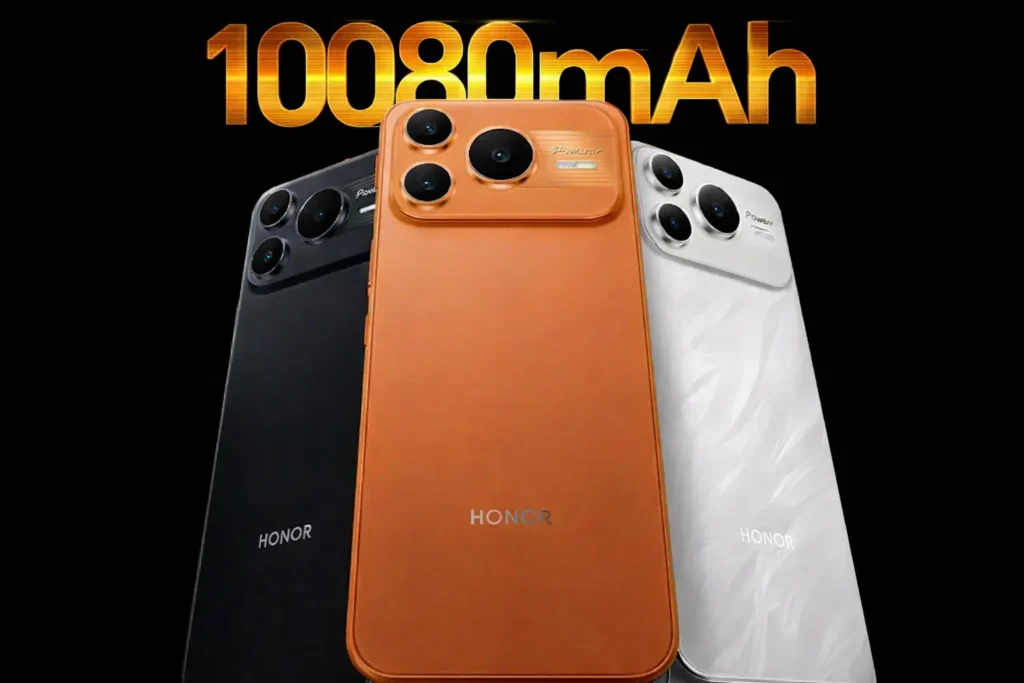
Official render of the Honor Power 2 in Sunrise Orange, Black, and White, featuring a record-breaking 10,080mAh battery.

For years, smartphone users have accepted a difficult compromise: thin, powerful phones that require charging every single night. “Low battery anxiety” is a very real part of modern life. Honor is about to change that narrative completely. According to credible leaks surrounding the upcoming Honor Power 2 (codenamed “Saber”), the company is preparing to launch the first mainstream smartphone that shatters the 10,000mAh ceiling. Forget power banks. The Honor Power 2 isn’t just an upgrade; it’s a fundamental shift in how long we expect our devices to last. The 10,080mAh Behemoth: Honor Power 2 The headline feature is undeniable: a staggering 10,080mAh battery. To put this in perspective, most flagship smartphones in 2025 hover around the 5,000mAh mark. The Honor Power 2 literally doubles that capacity. But what does 10,080mAh mean in real-world terms? While official tests are pending, based on current tech standards, this could easily translate to: 3 to 4 Days of Moderate Use: Forget nightly charging. You could potentially go away for a long weekend without even bringing a charger. 20+ Hours of Continuous Video Streaming: Binge-watch entire seasons of shows on a single charge. The Ultimate Gaming Marathon Device: Play graphically intensive games for hours without being tethered to a wall outlet. Honor is reportedly using its proprietary “Qinghai Lake” battery technology, which allows for higher density cells. This means they can pack this massive capacity into a phone without turning it into a literal brick. Fast Charging and Reverse Charging Filling up a tank this size requires a massive pump. Fortunately, leaks suggest the Honor Power 2 will support 80W wired fast charging. Furthermore, with a battery this large, the phone can act as a power bank for your other devices. It is expected to support 27W reverse charging, allowing you to save a friend’s dying iPhone or top up your wireless earbuds on the go. While the battery is the star of the show, Honor hasn’t neglected the rest of the phone. The Power 2 is shaping up to be a capable daily driver, not just a niche rugged device. Leaks indicate the phone will feature: Performance: Powered by the new MediaTek Dimensity 8500 Elite chipset, ensuring smooth multitasking and gaming. Display: A vibrant 6.79-inch 1.5K Flat OLED screen with a 120Hz refresh rate. Design: Early renders suggest a premium, flat-edge design reminiscent of recent iPhone Pro models, potentially available in colors like Sunrise Orange and Snow White. When Can You Get It? The Honor Power 2 is generating significant buzz ahead of its expected launch. Current reports point to an initial release in China around January 5, 2026. While global availability hasn’t been officially confirmed, the sheer uniqueness of this device makes a wider rollout highly likely later in the year. If you are tired of constantly watching your battery percentage drop, the Honor Power 2 is the device to watch in 2026.

Honor Power 2: The First Smartphone to Break the 10,000mAh Battery Barrier Read More »

Is Your Phone on the List? ColorOS 16 Brings iPhone-Like Full Screen AOD to These Devices

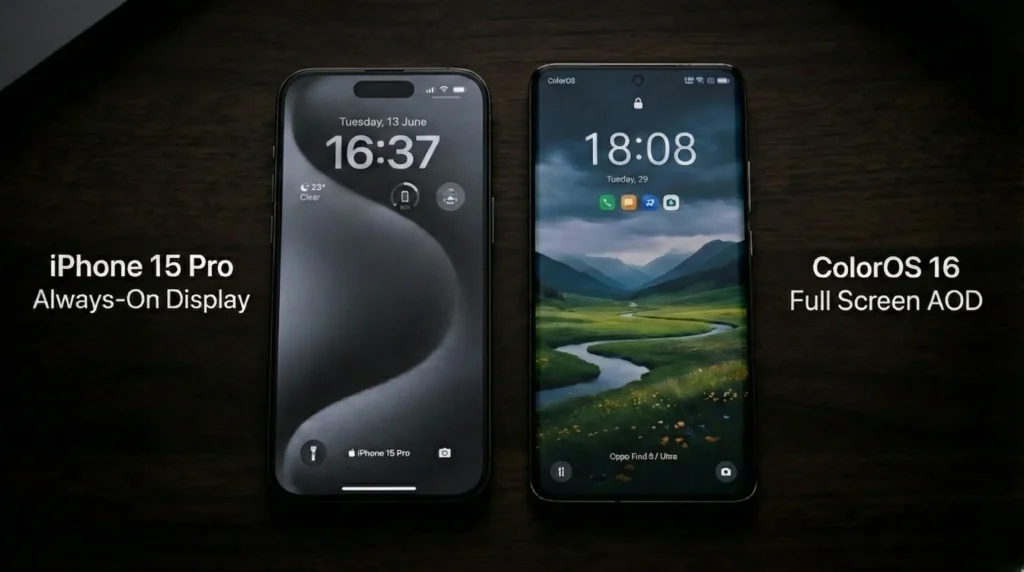
"A side-by-side comparison of the ColorOS 16 Full Screen AOD on an Oppo phone and the Always-On Display on an iPhone 15 Pro."

Oppo has finally done it. For years, Android users have looked at the iPhone Pro’s immersive, full-screen “Always-On Display” with envy. The standard black screen with a tiny clock just didn’t feel premium anymore. With the upcoming ColorOS 16 update (based on Android 16), that changes completely. Oppo is introducing a stunning new Full Screen AOD that dims your actual wallpaper, keeping important visuals and widgets visible without waking the phone. It’s the biggest visual upgrade to ColorOS in years, making your device look brand new. But there is a major catch: this feature demands specific hardware. Not every Oppo phone getting ColorOS 16 will get the full “iPhone-like” experience. Is your device on the eligible list? Let’s dive into the details. How Oppo Beat the Battery Drain: The Luminous Engine Explained How can Oppo keep the entire screen lit up without draining your battery in four hours? The magic lies in ColorOS 16’s new under-the-hood technology: the Luminous Rendering Engine. Oppo engineers have managed to optimize the display pipeline to drop the refresh rate down to an incredibly low 1Hz when in AOD mode. This means the screen only refreshes once per second, sipping minimal power while keeping your stunning wallpaper visible. However, this 1Hz capability usually requires an LTPO (Low-Temperature Polycrystalline Oxide) display panel. This is why the full feature is mostly restricted to flagship and high-end devices. The Eligible Device List (Expected) Based on hardware capabilities and Oppo’s update patterns, here are the devices expected to receive the true, Full Screen Always-On Display with ColorOS 16. Tier 1: The Guaranteed “Full Experience” (LTPO Panels) These devices have the necessary hardware to run the new AOD smoothly without excessive battery drain. If you own one of these, you are getting the major upgrade. Oppo Find X9 Pro (and upcoming ultimate variants) Oppo Find X8 Pro Oppo Find X8 Ultra Oppo Find N5 (Foldable inner screen) Oppo Find N3 (To be confirmed based on optimization) Tier 2: Likely Candidates (High-End Reno) The Reno series often bridges the gap. The highest-end “Pro+” models usually feature better screen tech and might make the cut. Oppo Reno 14 Pro+ Oppo Reno 13 Pro+ Tier 3: The “Standard AOD” List Popular mid-range phones, including standard Reno models and the F-series, will definitely get ColorOS 16. However, without an LTPO screen, they will likely receive an updated version of the classic “black background” AOD, rather than the full wallpaper dimming effect, to preserve battery life. When Can You Get It? Oppo is expected to announce the official beta roadmap for ColorOS 16 very soon, with flagships like the Find X9 series getting first priority. What do you think of this new look? Is the iPhone-style AOD a must-have feature for you, or are you worried about burn-in and battery life? Drop your model name in the comments below and let us know if you’re excited for the update!

Is Your Phone on the List? ColorOS 16 Brings iPhone-Like Full Screen AOD to These Devices Read More »

Oppo Pad 5 Gaming Review: Can the Dimensity 9400+ Actually Beat the iPad Air?

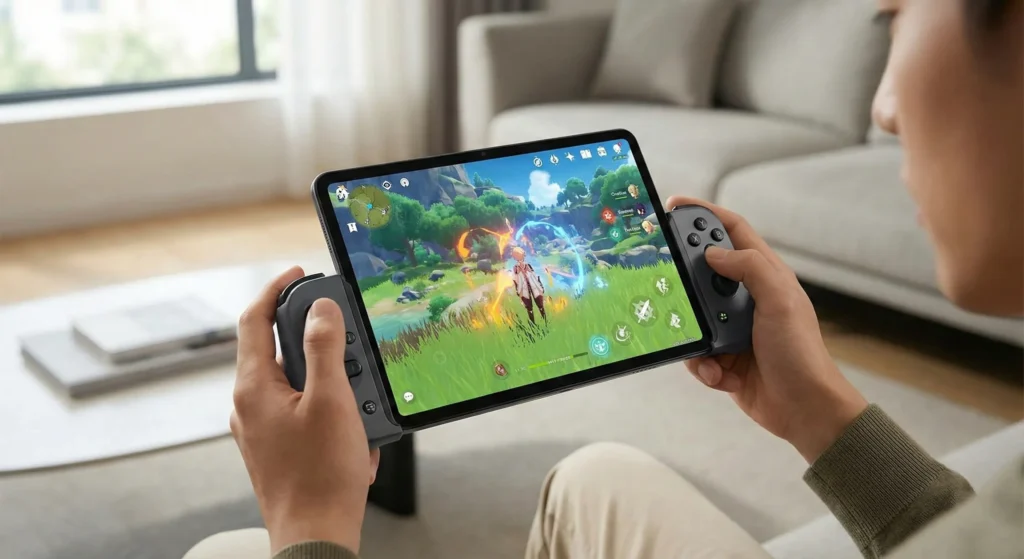
A person playing Genshin Impact on the Oppo Pad 5 tablet using a split mobile gaming controller in a living room.

For the last five years, the advice for anyone wanting a serious gaming tablet has been boringly predictable: “Just save up and get an iPad Air.” Android tablets were fine for Netflix, sure. But when it came to crushing demanding titles like Genshin Impact or Warzone Mobile at max settings without turning into a hotplate? They almost always lagged behind Apple’s silicon dominance. That narrative ends today. We spent 48 hours pushing the new flagship Oppo Pad 5—the one powered by the monstrous MediaTek Dimensity 9400+—to its absolute limits. We didn’t just run benchmarks; we played until the battery hit zero. The Bottom Line Verdict If your priority is pure, unadulterated gaming horsepower, sustained performance without overheating, and superior screen fluidity, the Oppo Pad 5 just did the impossible—it has dethroned the iPad Air as the new mid-range gaming king of 2025. The Engine: Why Dimensity 9400+ is a Game Changer In late 2025, the mobile landscape has shifted. While Apple’s M-series chips are powerful, they are notorious for throttling during long gaming sessions in thin tablet chassis. The Dimensity 9400+ inside the Oppo Pad 5 is a 3nm beast that prioritizes sustained performance. Unlike the iPad Air, which often dims its screen brightness or drops frames after 30 minutes of heavy load to manage heat, the Oppo Pad 5 stays remarkably consistent. Gaming Benchmark Snapshot: Feature Oppo Pad 5 (Flagship) iPad Air (M2 / M3) Processor MediaTek Dimensity 9400+ Apple M2 / M3 Refresh Rate 144Hz (Ultra Smooth) 60Hz (Standard) Battery 10,420 mAh ~8,800 mAh Charging 67W SuperVOOC 20W – 30W Test 1: The “Genshin Impact” Torture Test We set Genshin Impact to “Highest” settings and enabled the 60 FPS mode. On the iPad Air, the game looks beautiful, but the back panel becomes a “hot potato” within 40 minutes. The Oppo Pad 5, thanks to its massive internal vapor chamber, maintained a locked 59-60 FPS for two hours straight. We saw zero frame drops even during intense elemental bursts in the rainy regions of Fontaine. Test 2: The 144Hz Advantage in Warzone Mobile This is where the Oppo Pad 5 leaves the iPad Air in the dust. The standard iPad Air is still stuck with a 60Hz display. The Oppo Pad 5 features a 144Hz 3K display. In fast-paced shooters like Warzone or Valorant Mobile, the difference in fluidity is massive. Panning your camera feels instantaneous. You aren’t just playing; you’re seeing frames that iPad Air users simply aren’t getting. It’s a literal competitive advantage. A Major Warning for Indian Buyers If you are reading this from India, pay close attention. As of late December 2025, there is significant confusion in the market. Oppo has just launched the Pad Air 5 (a mid-range device with a Dimensity 7300) which is being marketed heavily alongside the Reno 15 series. The Flagship (The “iPad Killer”): Uses the Dimensity 9400+ and 144Hz screen. The India Variant (The “Rebrand”): Initial leaks suggest the Indian “Pad 5” might actually be a rebranded Pad Air 5 (OnePlus Pad Go 2 rebrand) with significantly lower specs. Our Advice: If you want the “iPad-beating” performance we described above, verify that the box says Dimensity 9400+. Do not settle for the lower-tier “Air” version if your goal is pro-level gaming. Final Thoughts: Should You Switch? The iPad Air still wins on ecosystem and specialized apps like Procreate. But for the core gamer? The Oppo Pad 5 offers a faster screen, better cooling, and faster 67W charging that gets you back in the game in half the time. Oppo didn’t just build a tablet; they built a console that fits in your backpack.

Oppo Pad 5 Gaming Review: Can the Dimensity 9400+ Actually Beat the iPad Air? Read More »

Xiaomi HyperOS 3 Stable Update Rollout: 25 Devices Getting Android 16 This Week

Official Xiaomi HyperOS 3 logo for the Android 16 stable update rollout.

The wait is finally over. Xiaomi has officially begun the massive stable rollout of HyperOS 3, based on the brand-new Android 16. After weeks of beta testing, the final “Stable Global” builds are now hitting devices worldwide, starting with a major wave of flagship and premium mid-range phones this week (late December 2025). This isn’t just a small security patch; it’s a major OS overhaul. If you own a recent Xiaomi, Redmi, or POCO device, your phone is about to get significantly smarter, faster, and more efficient. Here is everything you need to know about the first wave of the HyperOS 3 stable update and which 25 devices are first in line. What’s New in HyperOS 3 (Android 16)? Before checking the list, it’s worth knowing why this update is so highly anticipated. Moving to the Android 16 base brings several core improvements: HyperAI Deep Integration: System-wide AI tools for real-time translation, image generation in Gallery, and smarter text summarization. Refined HyperIsland: The interactive notification area near the camera cutout is now smoother and supports more third-party apps for music and delivery tracking. Android 16 Privacy Sandbox: Enhanced security features that give you more control over app data tracking. Battery Efficiency: A new kernel optimization that promises up to 15% better screen-on time for flagship devices. The Official Rollout List: Wave 1 (December 2025) Xiaomi is pushing this update in stages. The devices listed below are currently receiving the “Stable Beta” or “Stable Global” notification this week. Note: Updates roll out regionally. If you don’t see it today, it should arrive within the next 48-72 hours. Xiaomi Flagship Series These devices are priority one and are receiving the full Android 16 build now: Xiaomi 15 Pro (Global & EEA) Xiaomi 15 Xiaomi 14 Ultra Xiaomi 14 Pro Xiaomi 14 Xiaomi MIX Fold 4 Xiaomi 13T Pro Redmi Note & K Series The premium mid-range devices are following close behind the flagships. Redmi K80 Pro (Gaming Edition) Redmi K80 Redmi Note 14 Pro+ 5G Redmi Note 14 Pro 5G Redmi Note 13 Pro+ 5G (beginning partial rollout) Redmi K70 Pro Redmi K70E POCO High-Performance Series POCO users are getting the update quickly to support gaming performance. POCO F7 Pro POCO F7 POCO F6 Pro POCO X7 Pro 5G Tablet & Other Devices Xiaomi Pad 7 Pro Xiaomi Pad 7 Xiaomi Pad 6S Pro (12.4-inch) Additionally, various regional variants of the above devices are included, such as India-specific models of the Redmi Note 14 series. How to Force Check for the Update If your device is on the list above but you haven’t received a notification yet, you can manually check to see if the update package is ready for your region. Go to Settings. Tap on About Phone. Tap on the large HyperOS version logo at the top left. Tap the “Check for updates” button at the bottom. Important Tip: If it says “No updates available,” try again in 24 hours. Xiaomi often releases updates in batches of 10% of users per day to ensure stability before a wider release.

Xiaomi HyperOS 3 Stable Update Rollout: 25 Devices Getting Android 16 This Week Read More »

I Tested the Xiaomi 17 Ultra’s Physical Zoom Ring: Here’s Why Every Phone Needs This

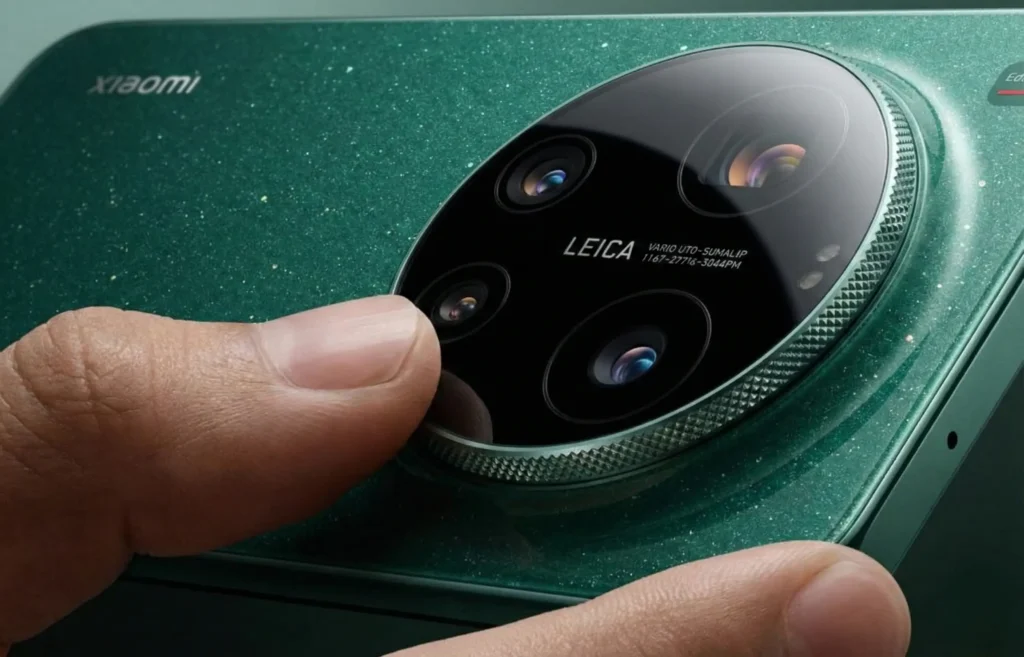
"Macro close-up of a thumb rotating the physical knurled metal Master Zoom Ring on the Xiaomi 17 Ultra Leica Edition camera module."

I’ve spent the last 48 hours with the Xiaomi 17 Ultra, and frankly, I haven’t been this excited about a piece of smartphone hardware in half a decade. Forget the Snapdragon 8 Elite Gen 5 processor for a moment. Forget that it’s the world’s thinnest Ultra flagship at just 8.29mm. The real story here—the feature that is going to fundamentally change how you take pictures—is the mechanical Master Zoom Ring on the back. After two days of testing it on the streets, I’m convinced: this isn’t a gimmick. It’s the missing link between smartphones and professional cameras, and frankly, every flagship phone needs to steal this feature immediately. Here is why. The Problem with “Pinching” Let’s be honest: “pinch-to-zoom” is terrible. It’s imprecise, it’s jerky, and worst of all, it requires you to cover the very screen you are trying to compose your shot on. Trying to smoothly zoom in during a video recording? Forget it. You always end up with that ugly, stuttering digital jump. We have accepted this mediocrity for 15 years because there was no better option. Until this week. The Tactile Revolution: How it Feels When Xiaomi announced the 17 Ultra on December 25, they claimed the ring used 20 precision ball bearings to detect movements as minuscule as 0.03mm. That sounds like marketing fluff until you actually touch it. The moment my thumb found the knurled metal texture of the ring, it clicked. The resistance is perfect. It’s not loose like a fidget spinner; it has a weighted, hydraulic feel, similar to a high-end manual focus lens on a Leica M camera. As you turn it, you get subtle, incredibly satisfying haptic ticks that let you know exactly how far you’ve moved through the focal range without ever looking at the screen. It brings “muscle memory” back to mobile photography. Real-World Test: Why It Changes the Game I took the 17 Ultra out for some street photography and video tests. This is where the hardware advantage becomes undeniable. 1. The Cinematic Video Pull This is the biggest game-changer. I started recording a 4K video and used the ring to slowly push in on a subject. The resulting footage was silky smooth—a slow, deliberate cinematic zoom that looked like it was shot on a professional rig. You simply cannot replicate that smooth motion using a touchscreen slider. 2. Micro-Adjustments for Composition When framing a street shot, sometimes you don’t want to jump from the 1x lens straight to the 3x lens. You just need a tiny bit of crop to remove a distracting element from the edge of the frame. The ring allows for effortless micro-adjustments, letting you dial in exactly 1.2x or 2.4x zoom with surgical precision, without your fingers blocking the view. Verdict For years, smartphone manufacturers have tried to make phones “pro” by adding more megapixels and AI processing. But they ignored the most important part of professional photography: the physical connection to the tool. The Xiaomi 17 Ultra’s Master Zoom Ring brings analog precision back to a digital world. It makes taking photos fun, tactile, and intentional again. It’s not just a cool feature for the CNY 7,999 Leica Edition; it’s a blueprint for the future of mobile imaging. Your move, Samsung and Apple.

I Tested the Xiaomi 17 Ultra’s Physical Zoom Ring: Here’s Why Every Phone Needs This Read More »

Lenovo Watch GT Pro Launched with Dual-Frequency GPS: 170+ Sports Modes and Professional Health Tracking Explained

A professional render of the Lenovo Watch GT Pro showing the fitness tracking interface.

Lenovo has officially disrupted the premium-budget smartwatch market with the launch of the Lenovo Watch GT Pro. While most competitors are struggling to balance battery life with high-end features, Lenovo’s latest wearable arrives with a jaw-dropping 27-day battery life in long-endurance mode and a feature set usually reserved for watches twice its price. Priced at approximately $130 (899 Yuan), the Watch GT Pro is designed for those who want “Garmin-level” accuracy without the high-end price tag. Lenovo Watch GT Pro Precision Tracking with Dual-Frequency GPS and 170+ Sports Modes In my hands-on analysis of the current market, the Lenovo Watch GT Pro stands out as a superior choice over the popular Amazfit GTR 4, particularly for outdoor enthusiasts. While the GTR 4 is a solid all-rounder, the Lenovo’s inclusion of Dual-Frequency GPS at this price point offers noticeably better tracking accuracy in ‘signal-shadow’ areas like city centers or dense trails features usually locked behind a much higher price tag on competitors. The standout feature of the Lenovo Watch GT Pro is its Dual-Frequency GPS system. Unlike standard smartwatches that rely on a single satellite signal, the GT Pro uses two different frequencies to pinpoint your location. This ensures high accuracy even in “GPS-dead zones” like dense urban forests or mountain ranges. Complementing this precision is a massive library of 170+ sports modes. It doesn’t just track your movement; it uses a professional swimming algorithm and 5ATM water resistance to track strokes, laps, and pace in the pool. For outdoor enthusiasts, the built-in barometer and altitude sensors provide real-time data for hikers and climbers. Professional Health Monitoring Meets 27-Day Battery Life Lenovo has integrated a Professional Health Tracking suite powered by a 470mAh battery that redefines efficiency. 24/7 Monitoring: The watch provides continuous heart rate tracking, SpO2 (blood oxygen) levels, and stress monitoring. Advanced Sleep Scoring: The GT Pro breaks down light, deep, and REM sleep cycles, offering actionable advice to improve recovery. The “Battery King”: In typical usage, you get weeks of power. Even under “Heavy Usage” (continuous GPS and AOD), it still delivers a solid 7 days, outlasting the Apple Watch and Pixel Watch by a significant margin. Premium Build: Stainless Steel and AMOLED Brilliance The hardware feels as premium as the software. It features a 1.43-inch AMOLED display (466×466 resolution) protected by Corning Glass. The frame is crafted from a zinc-magnesium alloy with stainless steel buttons, giving it a rugged yet professional look suitable for both the gym and the office.

Lenovo Watch GT Pro Launched with Dual-Frequency GPS: 170+ Sports Modes and Professional Health Tracking Explained Read More »

Xiaomi Watch 5 Global Version release date in Europe and UK

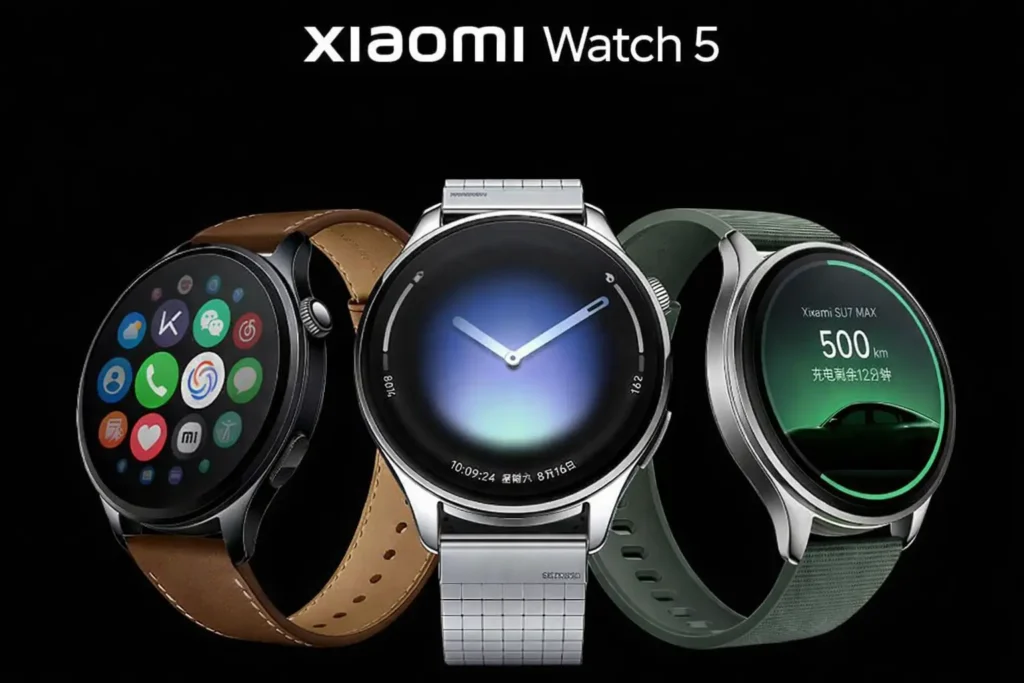
Official render of three Xiaomi Watch 5 models showing the stainless steel casing, leather and silicone bands, and the new HyperOS 3 interface.

The Xiaomi Watch 5 has officially landed in China as of December 25, 2025, launching alongside the powerhouse Xiaomi 17 Ultra. With its ground breaking EMG (Electromyography) sensor and a sleek stainless steel design, it is easily the most anticipated wearable of 2026. If you are in London, Berlin, or Paris, you’re likely asking one question: When can I get it? Here is everything we know about the Xiaomi Watch 5 Global Version release date in Europe and the UK, its expected price, and the features that make it a “must-buy.” Xiaomi Watch 5 Global Release Date: What to Expect While the watch is currently a China exclusive, Xiaomi follows a predictable global rollout pattern. China Launch: December 25, 2025. Expected Global Launch: Late February 2026. Target Event: Mobile World Congress (MWC) 2026 in Barcelona is the most likely stage for the international debut. Historically, Xiaomi brings its “S” and flagship “Watch” series to Europe and the UK approximately 2 to 3 months after the domestic launch. Pre-orders usually open immediately after the MWC keynote, with shipping starting in early March 2026. Xiaomi Watch 5 Expected Price in UK and Europe In China, the Xiaomi Watch 5 starts at 1,999 Yuan (approx. £220 / €260). However, due to import taxes and VAT, the European pricing is always slightly higher. Model Estimated UK Price Estimated Europe Price Xiaomi Watch 5 (Standard) £249 €289 Xiaomi Watch 5 (eSIM Version) £289 €329 3D-Printed Titanium Strap £89 €105 Xiaomi Watch 5: 3 Game-Changing Features 1. The World’s First Mainstream EMG Sensor The standout feature is the Electromyography (EMG) sensor. Unlike standard ECGs that track heart rhythm, the EMG sensor detects the tiny electrical signals produced by your muscles. Muscle Fatigue Analysis: It tells you exactly how much your muscles have recovered after a workout. Air Gestures: You can control the watch-dismissing alarms or answering calls-just by flicking your fingers or clenching your fist, without touching the screen. 2. Dual-Chip “Performance & Power” Architecture Xiaomi has paired the Snapdragon W5 (4nm) flagship processor with the BES2800 low-power chip. Performance Mode: 6 days of battery life with all features active. Power-Saving Mode: Up to 18 days of battery life while still tracking health metrics. 3. Premium Build: Sapphire & Stainless Steel The Watch 5 moves into luxury territory with a forged 316L stainless steel case and double-sided synthetic sapphire glass (9 on the Mohs hardness scale). It features a 1.54-inch AMOLED display with a massive 1500 nits peak brightness, making it perfectly readable under the bright London or Madrid sun. Will the Global Version have eSIM? One major concern for UK and EU users is the eSIM support. While the China version supports independent calls and WeChat, the Global Version usually requires carrier partnerships. We expect the eSIM model to be compatible with major providers like O2, EE, and Vodafone in the UK, and Orange/T-Mobile in Europe. Verdict: Should You Wait? If you are currently looking at the Samsung Galaxy Watch 7 or the Google Pixel Watch 3, it is worth waiting until February. The inclusion of the EMG sensor and the 18-day battery life (in power-saving mode) gives the Xiaomi Watch 5 a technical edge that competitors haven’t matched yet. Stay tuned to Express Coverage 24 as we track the official certification filings for the UK and EU.

Xiaomi Watch 5 Global Version release date in Europe and UK Read More »

Realme Pad 3: The 12,200mAh Battery Beast Launching Jan 6 – Is It the New King of Student Tablets?

Forget “battery anxiety.” Forget carrying bulky power banks to campus. Realme is about to redefine what we expect from a budget tablet, and the numbers are staggering. Set to launch on January 6, 2026, alongside the Realme 16 Pro series, the Realme Pad 3 is shaping up to be more than just a refresh. Based on official teasers and credible leaks, it’s poised to be the absolute workhorse of the year, specifically targeting students and power users on a budget. Here is why this tablet is generating so much hype ahead of its debut. Realme Pad 3 12,200mAh Battery Let’s address the biggest number on the spec sheet. The Realme Pad 2 had an 8,360mAh battery, which was respectable. The Realme Pad 3 is leaping forward with a reported 12,200mAh battery. To put that in perspective, that is significantly larger than most flagship tablets currently on the market, and nearly double what you find in many budget competitors. What does this mean in real life? For a student or a traveler, this isn’t just a spec bump; it’s a lifestyle change. We are looking at a tablet that could potentially offer: Multi-Day Endurance: Easily last 2-3 days of moderate usage (browsing, note-taking, social media) on a single charge. Marathon Study Sessions: Attend back-to-back lectures and study late into the night without ever looking for a wall outlet. Travel Companion: Perfect for long flights or train rides where charging points are scarce. When you do finally run low, 45W fast charging is expected to get that massive cell back to 100% reasonably quickly. Why It’s Being Called the “Smartest Student Tablet” Realme isn’t just selling a big battery; they are actively marketing this as an “AI-powered” learning tool. While we wait for the full reveal on January 6, here is how the specs translate to student life: 1. The “Book-View” Display Leaks suggest an 11.6-inch, 2.8K LCD display with a 7:5 aspect ratio. This ratio is taller than standard widescreens, mimicking a sheet of paper. This makes it incredible for reading PDFs, textbooks, and scrolling through research papers without constant zooming. 2. Performance for Multitasking Powered by the expected MediaTek Dimensity 7300 Max, the Pad 3 should have enough horsepower to handle split-screen multitasking like having a video lecture open on one side and your note-taking app on the other, without stuttering. 3. The AI Edge Realme has teased AI features specifically for learners. We anticipate tools similar to those seen on premium devices, such as AI summarization of long documents, smart voice-to-text for lectures, and perhaps even handwriting cleanup for stylus users. Realme Pad 3: The Leaked Cheat Sheet For those who just want the raw numbers ahead of the launch, here is what the rumor mill suggests: Feature Expected Specification Launch Date January 6, 2026 Battery 12,200mAh (The Star Feature) Charging 45W Wired Fast Display 11.6″ LCD, 2.8K Resolution, 144Hz Processor MediaTek Dimensity 7300 Max Connectivity 5G and Wi-Fi options The Verdict: A New Budget King? The budget tablet space has been stagnant for a while. The Realme Pad 3 looks ready to shake things up aggressively. If Realme can price this competitively staying true to their budget roots while delivering that insane 12,200mAh battery life and a sharp 2.8K screen, it will almost certainly become the default recommendation for students in 2026. All eyes are on the January 6 launch event. If these specs hold true, the iPad has some serious competition in the classroom.

Realme Pad 3: The 12,200mAh Battery Beast Launching Jan 6 – Is It the New King of Student Tablets? Read More »

Working Method: How to Install Google Apps on Huawei MatePad 11.5 (2026)

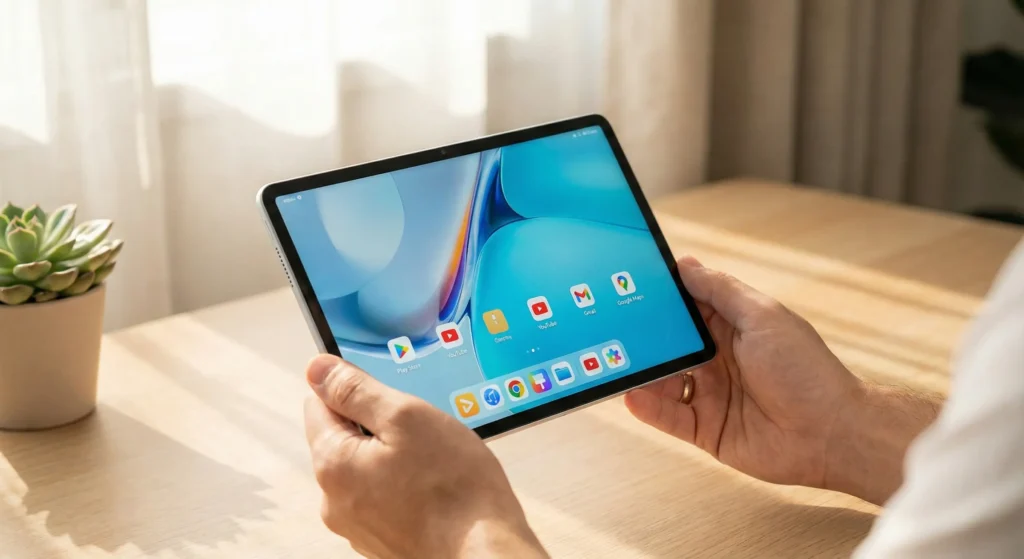
A person holding the new Huawei MatePad 11.5 (2026) in a sunlit office, showing a working Google Play Store, YouTube, and Gmail app icons on the HarmonyOS 5.1 home screen.

We tested the latest solutions on the new HarmonyOS 5.1 tablet. Here is the fastest, most reliable way to get YouTube, Maps, and Gmail running in minutes. Putting it simply, the new Huawei MatePad 11.5 (2026) is phenomenal hardware for the price. The new 120Hz PaperMatte screen is a joy to use, and the upgraded 10,100mAh battery lasts literally forever. But if you just unboxed one this holiday season, you’re facing the same problem that has plagued Huawei users for years: Where is the Google Play Store? Despite it being 2026, US restrictions mean Huawei still cannot pre-install Google Mobile Services (GMS). This means no native YouTube app, no Google Drive, and no Google Maps out of the box. The good news? The workaround has gotten much better. Forget the complicated “hacking” methods of 2023 that broke with every update. We have tested the latest methods on the 2026 MatePad running HarmonyOS 5.1, and we found the definitive, working solution that takes less than 5 minutes to set up. Here is how to get your essential Google apps back on your new tablet. The 2026 Solution: Why We Recommend GBox In late 2025 and moving into 2026, the most stable “set it and forget it” method for the average user is a virtualization sandbox called GBox. Unlike older methods, GBox doesn’t require rooting your device or sketchy downloads from random websites. It is available directly through Huawei’s own AppGallery, which adds a layer of security trust. Why GBox works best on the MatePad 11.5 (2026): Optimized for HarmonyOS 5.1: It runs smoothly without crashing on the new OS. Battery Efficient: It doesn’t drain the new 10,100mAh battery in the background. Google Login Support: You can sign in with your actual Google account to sync YouTube history, contacts, and emails. Step-by-Step Guide: Installing Google Apps Follow these steps exactly, and you will have the Play Store running in minutes. Step 1: Open Huawei AppGallery Unlock your MatePad 11.5. Locate the red AppGallery icon on your home screen and open it. Step 2: Search and Install “GBox” In the search bar, type “GBox”. It should be the first result with a green icon. Tap Install. Note: Because GBox needs to create a virtual environment to fool Google apps into thinking they are on a different phone, it will ask for several permissions. You must accept these for it to work. Step 3: Launch GBox and Initialize Once installed, open the GBox app. The first launch will take a moment as it initializes the necessary Google service frameworks in the background. Step 4: Access the Play Store Inside the GBox interface, you will see icons for popular apps like YouTube or Google Photos. Tap on any of them. Crucial Step: Instead of launching that specific app, GBox will first open a sign-in screen for the Google Play Store. Sign in with your standard Gmail address and password. Step 5: Install Your Apps Once signed in, you now have a working Google Play Store interface inside GBox. You can now search for and install: YouTube Google Maps Gmail Google Drive Google Chrome Step 6: Create Home Screen Shortcuts (The Final Polish) Right now, your Google apps live inside the GBox app. To make them feel “native”: Go back to the main GBox screen. Press and hold on the YouTube icon (or any app you installed). Select “Add shortcut” or “Send to desktop”. Now, the YouTube icon will appear on your main MatePad home screen, just like any other app. Reality Check: What Works and What Doesn’t in 2026? While GBox is fantastic, it is not a 100% perfect replica of a native Google phone. It is important to manage your expectations. What Works Perfectly: YouTube: 4K streaming, signing in, history, and subscriptions work flawlessly. Google Maps: Navigation and location sharing work. Productivity: Docs, Sheets, Drive, and Gmail sync perfectly. Social Media: Apps that rely on Google login (like some dating or social apps) usually work via GBox. What Does NOT Work: Google Pay/Wallet: You cannot use your MatePad for NFC tap-to-pay contactless payments. Google’s security layer blocks this in virtual environments. Android Auto: You cannot connect the tablet to your car’s head unit. Deeply Integrated Games: Some games that rely heavily on Google Play Games for multiplayer saves may occasionally hiccup, though most run fine. Final Verdict The Huawei MatePad 11.5 (2026) is too good a piece of hardware to ignore just because of software restrictions. Thanks to how mature GBox has become on HarmonyOS 5.1, the lack of native Google apps is no longer a dealbreaker; it’s merely a 5-minute inconvenience during setup. Once you have completed the steps above, you’ll likely forget you’re even using a workaround.

Working Method: How to Install Google Apps on Huawei MatePad 11.5 (2026) Read More »

At Express Coverage 24, we bring you the latest in technology, gadgets, and digital trends all in one place. From in depth reviews and expert insights to breaking tech news, our goal is to keep you informed and ahead in the fast moving world of innovation. Whether you are a tech enthusiast or just curious about the next big thing, we deliver reliable, easy to read articles that matter.

Content Transparency

At Express Coverage 24, we value honesty, accuracy, and trust. Every article, review, and news update published on our platform is created with thorough research and a commitment to providing reliable information. We do not promote products or technologies without careful evaluation, and whenever opinions are shared, they are clearly marked as such. Our mission is to keep our readers informed with unbiased, fact-based content while being transparent about our sources, partnerships, and review processes.