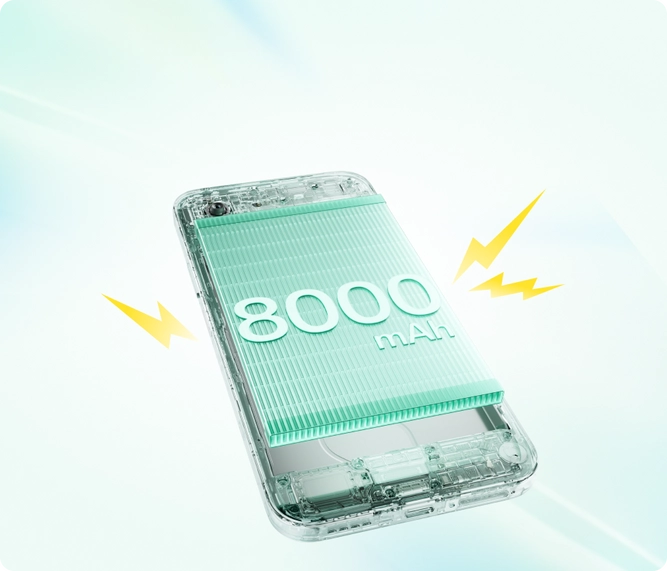
The OnePlus N6 is famous for its massive 8,000mAh battery, designed to last up to three days on a single charge. So, if your N6 is suddenly struggling to make it through the day, something is definitely wrong.
Even with excellent hardware like the MediaTek Dimensity 6360 Apex chip and a 5,300mm² cooling chamber, software glitches and unoptimized settings can chew through your battery life. Here is a concise guide to fixing battery drain on your OnePlus N6.
1. Check for Accidental Reverse Charging
The OnePlus N6 features 5W Reverse Wired Charging, which allows it to act as a power bank. If you frequently plug in USB-C accessories (like headphones or a flash drive) and leave them connected, your phone might be continuously attempting to charge them, causing a silent and massive battery drain. Always unplug accessories when not in active use.
2. Optimize the 120Hz Display
The 6.8-inch display on the N6 supports a buttery-smooth 120Hz refresh rate, but keeping it locked at 120Hz constantly uses significantly more power.
Go to Settings > Display & brightness > Screen refresh rate.
Switch it to Auto-select (so it drops to 60Hz when you are just reading text) or lock it to 60Hz if you want to maximize your endurance.
3. Rein in Background Apps on OxygenOS 16
Rogue apps running in the background are the #1 cause of sudden battery drain on Android devices.
Navigate to Settings > Battery > Battery usage.
Look for any apps consuming an unusually high percentage of power (especially social media or gaming apps).
Tap on the rogue app and select Force Stop, or restrict its background activity.
4. Enable “Sleep Standby Optimization”
OnePlus includes intelligent software features to prevent your phone from draining while you sleep.
Go to Settings > Battery > More settings.
Turn on Sleep standby optimization. This allows the phone to reduce network usage and sync frequencies when it detects you are asleep, dropping overnight drain to just 1-2%.
5. Tone Down the Brightness
The N6 display can peak at 1,200 nits, which is great for direct sunlight but terrible for your battery if left at max indoors. Ensure Auto-brightness is enabled in your Quick Settings panel so the phone isn’t blasting unnecessary light in dim rooms.
Still draining fast? If you have tried all the steps above and your 8,000mAh battery is still depleting rapidly, check for a system update (Settings > About device). Occasionally, a bug in OxygenOS can cause battery drain, and OnePlus frequently releases patches to fix these issues.