When a Samsung Galaxy user hears the word “update,” they usually think of a massive One UI upgrade that completely changes how their phone looks, or a monthly security patch from their carrier. But there is a third, quieter update happening on your phone that is just as important.
Google Play System updates work entirely behind the scenes to keep your Android device secure, fast, and fully featured. If you’ve never paid attention to them, you aren’t alone. Here are 10 quick facts every Galaxy owner should know about how these silent updates work.
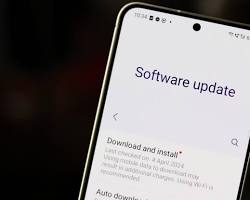
The Core Facts You Need to Know
They are completely separate from One UI. While Samsung is responsible for your phone’s visual interface, camera features, and major OS upgrades, Google Play System updates manage the core Android framework running underneath it all.
They bypass carrier and manufacturer delays. Because these updates are pushed directly by Google to your device, you don’t have to wait for Samsung or your cellular provider (like Verizon or AT&T) to approve and distribute them.
They deliver critical security patches instantly. If a major Android vulnerability is discovered in a core system module, Google can use this system to patch your phone almost immediately, rather than leaving you vulnerable until your next scheduled Samsung update.
They quietly introduce new features. These updates aren’t just for fixing bugs. In 2026 alone, Google has used them to roll out location-sharing features like Find Hub, Wallet enhancements, and new cross-device connectivity tools without needing a full Android OS upgrade.
They update your phone in “modules.” Instead of replacing the entire operating system, Google Play System updates target specific chunks of code (like media codecs, Wi-Fi connectivity protocols, or location services) without touching the rest of your phone.
They are tiny. Unlike a massive 3GB Android OS download that requires you to stay on Wi-Fi, these modular updates are usually only a few megabytes in size. They download in seconds and won’t drain your data plan.
You have to restart to apply them. Even though the download happens silently in the background, the new code will not take effect until you reboot your phone. This is why restarting your phone regularly is good practice!
Your phone might be behind, even if One UI is current. Because they are on completely different update tracks, it is very common to have the absolute latest version of Samsung software but be running a Google Play System from three or four months ago.
You can check for them manually. Don’t wait for your phone to do it automatically. On modern Samsung devices, go to Settings > Security and privacy > Updates > Google Play system update to force a check and grab the latest version.
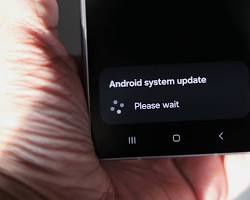
They sometimes get stuck. If you manually check and the screen spins forever, it’s a known Android glitch. Clearing the cache for the Google Play Store and Google Play Services in your app settings will usually force the update through.
The Bottom Line
You don’t need to obsess over checking for these updates every day, but getting into the habit of checking the Google Play System status once a month ensures your Galaxy device has the latest security tools and background features Google has to offer.