IMDAD

POCO X8 Pro Specs Leaked: Massive 6500mAh Battery, Flagship Power & A Stunning Iron Man Edition!

POCO X8 Pro Specs Leaked: Massive 6500mAh Battery, Flagship Power & A Stunning Iron Man Edition!

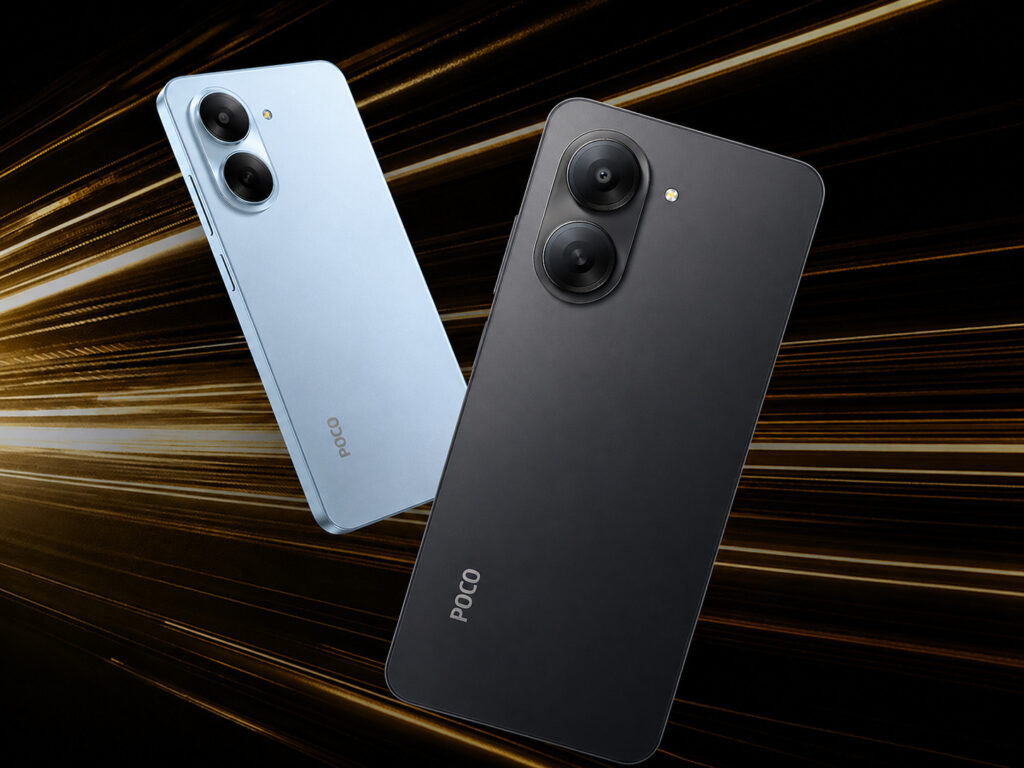
POCO is about to shake up the mid-range market in a big way. The upcoming POCO X8 Pro, expected to launch globally and in India in mid-March 2026, has been leaking steadily through certification databases and official-looking renders, and the picture it paints is genuinely exciting. This isn’t your typical mid-range phone. The X8 Pro looks set to challenge premium flagships on almost every front, and one special edition might just be the most eye-catching smartphone of the year. The Battery Life Problem Is Officially Over Let’s start with the headline number: 6,500mAh. That is the battery rumored to be inside the standard POCO X8 Pro, and it is a significant leap beyond the 5,000mAh packs that dominate the industry right now. For average users, that translates to genuine multi-day battery life. For heavy users, gamers, binge-watchers, and people who are always on the go, it means a full day of intensive use without anxiety. And when you do need to top up, 100W wired fast charging means you won’t be waiting long. There is also a reported 27W reverse wired charging feature, effectively turning the X8 Pro into a portable power bank for your earbuds or smartwatch. If the leaks hold true, POCO may also be preparing a POCO X8 Pro Max with an absolutely wild 8,500mAh battery. Yes, really. While some early rumors floated 9,000mAh figures, the latest certification data points to a massive 8,500mAh capacity, which is still comfortably one of the largest batteries ever seen in a POCO smartphone. Also read: Nothing’s New Pink Phone and Mystery Headphones: Everything We Know Ahead of March 5 Near-Flagship Performance at a Mid-Range Price Under the hood, the X8 Pro is powered by the MediaTek Dimensity 8500 Ultra — a chipset that punches well above its weight class. Paired with up to 16GB of LPDDR5X RAM and up to 512GB of UFS 4.0/4.1 storage, this phone is built to handle anything you throw at it: heavy multitasking, graphic-intensive gaming, 4K video editing on the go. It’ll run Xiaomi’s HyperOS based on Android 16, keeping the software experience clean and current. A Display That Doesn’t Cut Corners The 6.59-inch 1.5K AMOLED display runs at up to 144Hz with a peak brightness of 3,000 nits. That’s the kind of screen quality that makes scrolling, gaming, and streaming feel effortless — even in direct sunlight. High-frequency PWM dimming also means it’s genuinely easier on your eyes during late-night use. Cameras Built Around the Sony IMX882 Photography is handled by a vertically stacked, pill-shaped camera module on the rear. The main shooter is a 50MP Sony IMX882 sensor with Optical Image Stabilization — a combination that typically means sharp, stable shots in any lighting. It’s paired with an 8MP ultra-wide lens. Around front, a 20MP punch-hole camera takes care of selfies and video calls. The Iron Man Edition Is Unlike Anything POCO Has Done Before This is where things get truly special. A POCO X8 Pro Iron Man Edition has surfaced in regulatory filings (model number 2511FPC34G) alongside what appear to be official renders — and it looks stunning. The design ditches flashy colors for something far more sophisticated: a muted dark grey glass back with precision gold accents running along the frame and camera module. An action-posed Iron Man graphic sits over a mechanical, tech-inspired circular pattern on the rear. Stark Industries branding is printed near the bottom — subtle, but unmistakable for any fan. The experience doesn’t stop at the hardware. The Iron Man Edition ships with deep HyperOS integration: exclusive Marvel wallpapers, custom app icons, and unique Iron Man-themed system animations throughout the UI. It’s a collector’s phone and a daily driver rolled into one. What to Expect When It Launches Pricing hasn’t been officially confirmed yet, but based on POCO’s track record and the specs on offer, the X8 Pro is expected to land firmly in the upper mid-range bracket — offering premium-tier features without a flagship price tag. With a launch window of mid-March 2026, the wait isn’t long. Whether you’re after the raw power of the standard model or the cultural cachet of the Iron Man Edition, POCO looks set to deliver one of the most compelling smartphone releases of early 2026. Key specs at a glance: Dimensity 8500 Ultra · Up to 16GB RAM · 6,500mAh battery · 100W fast charging · 6.59″ 1.5K AMOLED 144Hz · 50MP Sony IMX882 OIS · HyperOS (Android 16) · IP68/IP69 Also read: Your Laptop Battery Is Dying Faster Than It Should: 5 Hidden Settings to Check Now

POCO X8 Pro Specs Leaked: Massive 6500mAh Battery, Flagship Power & A Stunning Iron Man Edition! Read More »

Your Laptop Battery Is Dying Faster Than It Should: 5 Hidden Settings to Check Now

You charged your laptop to 100% this morning. By lunch, it’s at 55%. You haven’t even opened YouTube. Sound familiar? Most people blame the obvious culprits — Chrome, screen brightness, too many tabs. But the real battery killers are hiding deeper inside your settings, quietly running in the background while you work, sleep, or carry your laptop across the room. Here are five hidden settings draining your battery right now — and the exact steps to fix each one in under two minutes. 1. Your Display Is Refreshing 120 Times Per Second Even When You’re Just Reading Emails Modern laptops come with 120Hz or 144Hz screens. It feels premium, but here’s the problem: your GPU is working twice as hard as it needs to for everyday tasks like browsing, writing, or watching YouTube. For most tasks, you simply cannot tell the difference between 60Hz and 120Hz. But your battery absolutely can. How to fix it: Go to Settings → System → Display → Advanced display and change your refresh rate from 120Hz/144Hz down to 60Hz. Better option: If your laptop supports Dynamic Refresh Rate (DRR), select that instead. It automatically drops to 60Hz for static content and only ramps up when you’re scrolling. Best of both worlds. Also read: The Best Value iPhone Ever? 5 Reasons to Wait for the March iPhone 17e Launch 2. Your Laptop Is Still Working While You Sleep (And So Is Your Battery) Close the lid. Walk away. Come back hours later to a hot laptop and 30% less battery. This isn’t a fluke — it’s a Windows feature called Modern Standby. Modern Standby keeps your Wi-Fi alive while your laptop “sleeps” so it can fetch emails and sync updates in the background. Great for notifications. Terrible for your battery. How to fix it: Go to Settings → System → Power & battery and look for the “Network connectivity” option under Sleep settings. Set it to Always Off while on battery. If you don’t see that option: Switch to Hibernate instead of Sleep. Hibernate saves your entire session to the SSD and cuts power completely — zero drain overnight, guaranteed. 3. Apps You Never Opened Today Have Been Running All Day Spotify. Steam. The Weather app. The Xbox app. Even apps sitting dormant in your taskbar can silently “phone home” — checking for updates, syncing data, refreshing notifications — using real CPU cycles and real battery power every single hour. How to fix it: Go to Settings → Apps → Installed Apps, click the three dots next to any app, select Advanced options, and set Background app permissions to Never. Pro move: Open Task Manager (Ctrl + Shift + Esc), right-click any power-hungry background process, and select Efficiency Mode. This forces it to run on the lowest-priority CPU cores — still functional, but barely touching your battery. 4. Windows Is Constantly Scanning Every File You Own Every time you plug in and start working, Windows Search Indexer quietly spins up in the background — scanning your files, cataloging your documents, and updating its index so your searches feel instant. The problem? If you have thousands of files (or large folders like game libraries or a cluttered Downloads folder), this process can loop endlessly, keeping your storage drive and CPU active for hours. How to fix it: Go to Settings → Privacy & security → Searching Windows and make sure “Respect power settings when indexing” is toggled ON. This one setting tells the indexer to pause the moment you unplug your charger. For a bigger win: Scroll down and exclude heavy folders — like your Downloads folder, gaming directories, or any external drives — from the index entirely. 5. “Fast Startup” Is Quietly Breaking Your Power Management Fast Startup sounds like a feature you’d want. It makes your laptop boot faster by saving a snapshot of the system kernel to your drive instead of fully shutting down. The catch: your laptop never actually powers off. Over time, this “ghost state” causes driver processes to linger and behave inefficiently — and that translates into unexplained battery drain that gets worse the longer you use it. How to fix it: Go to Control Panel → Hardware and Sound → Power Options → Choose what the power buttons do. Click “Change settings that are currently unavailable” and uncheck “Turn on fast startup.” Your boot time might increase by a couple of seconds. But your system will start fresh every time — no lingering processes, no mystery drain. Quick Reference: All 5 Fixes at a Glance Setting Why It Drains Battery The Fix High Refresh Rate GPU works overtime to maintain 120Hz visuals Switch to 60Hz or Dynamic mode Modern Standby Syncs apps and data even with the lid closed Disable network during sleep or use Hibernate Background Apps Constant CPU activity for notifications Set background permissions to Never Search Indexer Continuous disk and CPU scanning Enable “Respect power settings” Fast Startup Prevents a true full shutdown cycle Disable in Control Panel > Power Options The Bottom Line None of these fixes require any technical expertise or third-party software. They’re all buried in settings menus Microsoft doesn’t exactly advertise — but each one is quietly costing you battery life every single day. Spend 10 minutes on these five changes, and most people gain back 1 to 2 extra hours of real-world battery life without losing any performance they’d actually notice. Start with Modern Standby (#2) if your laptop ever runs warm inside your bag. That one alone can be a game-changer. Also read: The 100-Hour Battery: What We Know About the Insane OnePlus Watch 4 Launch

Your Laptop Battery Is Dying Faster Than It Should: 5 Hidden Settings to Check Now Read More »

Nothing’s New Pink Phone and Mystery Headphones: Everything We Know Ahead of March 5

Pink Nothing Phone rear design with dual camera module and transparent back panel on minimal background.

Nothing is about to change everything you thought you knew about mid-range phones. The London-based tech brand has locked in a launch event for March 5, 2026 — and what’s coming is genuinely surprising. Forget the flagship race. Nothing is doubling down on its A-series and audio lineup, and the results look unlike anything the company has put out before. Here’s everything confirmed so far. A Pink Nothing Phone. Yes, Really. For the first time in the brand’s history, Nothing is releasing a smartphone in pink. The Phone (4a) will arrive in a soft, desaturated rose tone — described by Nothing’s own design team as a “desaturated red” — applied inside its iconic transparent casing. The metallic accents, internal screws, and inner housing all carry the same baby pink finish, while the camera island stays silver. It’s a striking look. And for a brand that built its identity on black and white, it signals a real shift. The phone will also come in White, Black, Yellow, and Blue. Also read: Apple Watch Series 12 Leaks: What to Expect from the Redesign A Periscope Camera in a Mid-Range Phone The design isn’t the only headline. The Phone (4a) is officially confirmed to feature a periscope telephoto camera — a first for Nothing’s entire mid-range lineup. Using a compact tetra-prism system, it’s the kind of optical zoom hardware you’d usually find on phones costing twice the price. Combined with the move to UFS 3.1 storage and a rumoured Snapdragon 7s Gen 4 chipset, the internals are punching well above the phone’s expected price bracket. Nothing has also confirmed a 5,400mAh battery with 50W fast charging — slightly bigger than its predecessor. The Glyph Gets a Redesign The Phone (4a) is also retiring the full Glyph Interface in favour of a sleeker “Glyph Bar.” Sitting beside the camera island, it features a vertical strip with nine individually controllable mini-LEDs — 40% brighter than before — plus a dedicated red LED that lights up during video recording. The button layout has been reworked too. Volume and power buttons now sit on the right edge, freeing up the left side for a new programmable “Essential Key.” Mystery Headphones With Record-Breaking Battery Life Alongside the phone, Nothing is launching a new pair of over-ear headphones — expected to be called the Nothing Headphone (a). The company has officially confirmed they’ll offer “the longest battery life of any Nothing audio product to date.” Given that the existing Headphone (1) already hits 80 hours, that likely means 100+ hours on a single charge. Leaked pricing points to €159 — roughly half the cost of the flagship model — with a plastic build keeping costs down without sacrificing the look. Colourways seen in teasers include yellow, pink, white, and black, matching the new phone lineup. Everything Goes Live on March 5 Nothing’s “Built Different” event streams live on March 5 at 10:30 a.m. GMT. Pricing, regional availability, and the full details of Nothing OS 4.0 are all still to be confirmed — but the hardware picture is already remarkably clear. Pre-orders are expected to open the same day. For anyone who’s been waiting for a mid-range phone that actually looks different — this might be the one. Also read: The Best Value iPhone Ever? 5 Reasons to Wait for the March iPhone 17e Launch

Nothing’s New Pink Phone and Mystery Headphones: Everything We Know Ahead of March 5 Read More »

The Best Value iPhone Ever? 5 Reasons to Wait for the March iPhone 17e Launch

Concept render of iPhone 17e rear design in silver with Apple logo and single camera module.

Apple is gearing up for a major hardware event in the first week of March, and one device has everyone talking: the iPhone 17e. This isn’t just another budget iPhone. The 17e is shaping up to be Apple’s most feature-packed entry-level model ever — with flagship-grade internals at a price that hasn’t changed from last year’s model. If you’ve been sitting on an old iPhone, here’s why the next few days might be worth the wait. Apple Is Finally Putting a Flagship Chip in a Budget iPhone The iPhone 17e is expected to run Apple’s brand-new A19 chip — the same processor family powering the standard iPhone 17 lineup. Yes, it may have one fewer GPU core than its pricier siblings. But that’s a minor trade-off for what you’re getting: next-generation performance, improved efficiency, and 8GB of RAM that unlocks full Apple Intelligence support. For an entry-level phone, this is a massive leap forward. MagSafe Is Finally Coming to Apple’s Cheapest iPhone This is the upgrade Apple budget phone buyers have been waiting years for. Previous entry-level iPhones were stuck with basic 7.5W Qi wireless charging. The iPhone 17e is expected to bring full MagSafe support — which means faster wireless charging (rumored between 15W and 25W) and access to Apple’s entire ecosystem of magnetic accessories, from car mounts to wallets to stands. It’s a small change that makes everyday life noticeably better. Also read: Nothing Phone 4a Pro Leaks: 144Hz Display and 140x Zoom? The Selfie Camera Is Getting a Major Upgrade The rear camera on the 17e will likely stay at 48 megapixels, but the front camera is a completely different story. Leaks suggest Apple is giving the 17e the same 18-megapixel Center Stage system currently found on the premium iPhone 17 models. That means sharper selfies, better low-light photos, and automatic subject tracking during video calls — features that were previously locked behind a much higher price tag. Dynamic Island and Slimmer Bezels Replace the Old Notch The iPhone 17e is expected to ditch the dated display notch in favor of Dynamic Island — the interactive pill-shaped cutout that debuted on the iPhone 14 Pro and is now standard across Apple’s lineup. Pair that with a 6.1-inch OLED panel and slimmer bezels, and you’re looking at an entry-level iPhone that genuinely looks and feels like a 2025 flagship. The Starting Price? Still $599 Here’s the most surprising part: despite all of these upgrades, the iPhone 17e is expected to launch at the exact same $599 (approximately ₹59,900 in India) as its predecessor. In a year when smartphone prices across the industry keep climbing, Apple holding the line on pricing while adding MagSafe, a better chip, and a modern display makes this one of the most compelling iPhone launches in years. Should You Wait? If you’re currently using an iPhone 11, iPhone 12, or an older SE model, the answer is almost certainly yes. Apple’s official announcement is expected around March 4 — just days away. Given what’s rumored, waiting a few more days before pulling the trigger on a new phone is a very easy call to make. The iPhone 17e won’t compete with the Pro Max. It was never meant to. But it might just be the smartest iPhone Apple has ever built for the money. Also read: The 100-Hour Battery: What We Know About the Insane OnePlus Watch 4 Launch

The Best Value iPhone Ever? 5 Reasons to Wait for the March iPhone 17e Launch Read More »

Apple Watch Series 12 Leaks: What to Expect from the Redesign

Apple Watch on wrist displaying Activity rings outdoors in natural sunlight

If you are currently using an older Apple Watch and considering an upgrade to the Series 11, it might be worth looking at what is expected later this year. While the current lineup is reliable, early 2026 supply chain reports and iOS code findings suggest the upcoming Apple Watch Series 12—likely arriving in September—will introduce several notable hardware changes. For the past few generations, Apple has maintained a similar internal architecture and sensor layout. However, current leaks indicate the Series 12 will feature a new design approach. Here is an overview of the rumored updates and how they might affect daily use. The 8-Sensor Ring Design One of the main physical changes reported for the Series 12 is located on the back of the device. According to supply chain reports from DigiTimes, Apple is updating the underside crystal of the watch. Leaked prototype designs show a new layout with eight distinct sensors arranged in a circular ring. This doubles the number of sensor components compared to the current Series 11. The practical application of this change relates to data accuracy. Smartwatches often rely on software algorithms to compensate for movement when the watch shifts on the wrist during exercise or sleep. By increasing the number of physical sensors and distributing them in a ring, the Series 12 could capture more consistent data, regardless of the watch’s position. This hardware update aims to improve the reliability of heart rate tracking during intense activity and could provide the necessary hardware foundation for future health features, such as blood pressure monitoring. Also read: Nothing Phone 4a Pro Leaks: 144Hz Display and 140x Zoom? Potential Touch ID Integration Typing a PIN code on a small watch screen can be inconvenient, and recent findings suggest Apple might be working on a biometric alternative for the Series 12. Examinations of Apple’s internal developer code have revealed references to “AppleMesa” linked to the 2026 smartwatch models. “Mesa” has historically been Apple’s internal codename for Touch ID. While integrating a fingerprint scanner under the display seems unlikely for now, recent patents point toward Apple placing Touch ID directly into the side button. If included, this feature would provide a quicker, more convenient way to authenticate Apple Pay transactions or unlock the device without typing a passcode. Processor Updates: The S12 Chip The internal processing architecture of the Apple Watch has remained largely unchanged since the Series 9, utilizing the T8310 family. Reports indicate the Series 12 will introduce a new processor iteration. Code findings suggest the 2026 models will use a new “Watch8” family processor, internally labeled as the T8320. A new processor architecture typically results in better app performance and improved power efficiency. For users hoping for better battery life, this updated S12 chip could help extend the daily usage time of the base model, potentially reducing the reliance on Low Power Mode. Should You Wait? The internal processing architecture of the Apple Watch has remained largely unchanged since the Series 9, utilizing the T8310 family. Reports indicate the Series 12 will introduce a new processor iteration. Code findings suggest the 2026 models will use a new “Watch8” family processor, internally labeled as the T8320. A new processor architecture typically results in better app performance and improved power efficiency. For users hoping for better battery life, this updated S12 chip could help extend the daily usage time of the base model, potentially reducing the reliance on Low Power Mode. Also read: Samsung Unpacked 2026 Live: The 5 Biggest Surprises from the Galaxy S26 Ultra Reveal

Apple Watch Series 12 Leaks: What to Expect from the Redesign Read More »

The 100-Hour Battery: What We Know About the Insane OnePlus Watch 4 Launch

OnePlus Watch 4 smartwatch product render with green strap and round display

Battery life remains one of the most significant pain points for flagship smartwatch users. While many high-end devices require daily charging, leaks surrounding the upcoming OnePlus Watch 4 suggest a different approach. The industry is currently focused on reports that the new device might offer a baseline battery life of up to 100 hours. Here is a look at the technology expected to power the watch, what supply chain leaks indicate about its specifications, and what consumers can expect when the device officially launches. The Technology Behind the Battery Life To achieve multiple days of battery life without significantly increasing the device’s physical footprint, OnePlus is reportedly continuing its use of a “Dual-Engine Architecture.” According to recent certification leaks, the Watch 4 will utilize two distinct processors. The primary chip is expected to be Qualcomm’s Snapdragon W5 Gen 2, which will be paired with a high-efficiency co-processor, likely an upgraded BES chip. For basic tasks—such as checking the time, receiving simple text notifications, or background step tracking—the watch operates on a Real-Time Operating System (RTOS) powered by the efficiency chip. When more demanding applications are launched, such as GPS navigation or complex Wear OS apps, the Snapdragon processor activates, providing a full Android 16-based Wear OS 6 experience. By dynamically switching between processors and shutting down the primary chip during idle periods, the watch is designed to conserve battery. This mechanism allows the device to reportedly reach over 100 hours in “Smart Mode” and potentially up to two weeks in a dedicated Power Saver Mode. Also read: Nothing Phone 4a Pro Leaks: 144Hz Display and 140x Zoom? Hardware Specifications and Features Despite the focus on battery efficiency, leaked specifications indicate that the Watch 4 will retain flagship-level hardware. The device, currently appearing in regulatory databases under the model number OPWWE261, is expected to feature a 1.5-inch LTPO AMOLED display. The LTPO technology allows the screen’s refresh rate to adjust dynamically, which is particularly useful for minimizing power consumption when the Always-On Display is active while maintaining a 466 x 466 resolution. Externally, rumors suggest a premium build utilizing either a stainless steel or titanium alloy chassis, potentially protected by a sapphire crystal face. In terms of health tracking, OnePlus is expected to include its “60-second Health Check-In” feature, which quickly monitors heart rate, blood oxygen (SpO2), and skin temperature. Industry reports also suggest the introduction of new health metrics this year, such as sleep breathing risk detection and arterial stiffness monitoring. Shared Architecture with Oppo Regulatory filings, including those from Malaysia’s SIRIM, indicate that the OnePlus Watch 4 will share significant manufacturing similarities with the upcoming Oppo Watch X3. For consumers, this shared architecture often translates to inherited premium features. Notably, rumors suggest the watch will support 10W fast charging. If accurate, this could potentially provide a full 24 hours of battery life from a brief 10-minute charge. Expected Launch and Pricing While OnePlus has not officially announced a release date, the appearance of the device on international certification boards suggests a launch is imminent. Analysts expect the watch to debut in the late first quarter or early second quarter of 2026. Official pricing remains unconfirmed, but OnePlus traditionally positions its wearables competitively against major smartwatch brands. Current market estimates suggest it will be priced around ₹28,999 in India. If the OnePlus Watch 4 can successfully deliver a complete Wear OS experience alongside a reliable multi-day battery life, it has the potential to set a new benchmark for endurance in the mainstream smartwatch market. Also read: Samsung Unpacked 2026 Live: The 5 Biggest Surprises from the Galaxy S26 Ultra Reveal

The 100-Hour Battery: What We Know About the Insane OnePlus Watch 4 Launch Read More »

Samsung Unpacked 2026 Live: The 5 Biggest Surprises from the Galaxy S26 Ultra Reveal

Samsung Galaxy S26 Ultra promo image with quad cameras, S Pen, and a LIVE badge on a blue gradient background.

Samsung’s first Galaxy Unpacked of 2026 just wrapped up in San Francisco, and honestly, it gave us a lot more to talk about than the usual spec bumps. While the standard Galaxy S26 and S26 Plus got some solid updates (yes, the Exynos 2600 is back in some regions), the real star of the show was exactly who we expected: the Galaxy S26 Ultra. Usually, the “Ultra” moniker just means a bigger screen and a slightly better camera. But this year, Samsung actually threw a few curveballs that caught even the most seasoned tech leakers off guard. If you’re eyeing this as your next upgrade or just want to see how it stacks up against the iPhone 17 Pro Max, here’s a breakdown of the five biggest surprises from the S26 Ultra reveal. 1. A Built-in “Privacy Display” (No Screen Protector Needed) Let’s be real: those third-party privacy screen protectors that block wandering eyes are usually dim, thick, and annoying to install. Well, Samsung just made them obsolete. In a massive win for anyone who commutes or works in coffee shops, the S26 Ultra features a hardware-based Privacy Display baked right into the 6.9-inch Dynamic AMOLED 2X panel. By using directional OLED pixels, you can toggle a mode that makes the screen look completely pitch-black to anyone glancing from the side. But when you’re looking straight at it? You still get that vibrant, peak-brightness Samsung display. It’s easily one of the coolest hardware tricks we’ve seen in years. Also read: POCO M8 5G vs Realme P4x: Which Phone is a Better Investment for 2026? 2. The Jump to 16GB of RAM We’ve been stuck at 12GB of RAM on the Ultra models for what feels like forever. Samsung finally broke the ceiling, making 16GB of RAM the new baseline for the S26 Ultra. Why the sudden jump? Two letters: A-I. Running complex generative AI tasks directly on your phone takes a massive toll on memory. With One UI 8.5 and Android 16, Samsung wants features like live translation, heavy photo generation, and large language models to process locally rather than relying on an internet connection. This extra RAM ensures the phone won’t break a sweat when you’re multitasking heavy workloads. 3. “Hey Plex”: Deep Perplexity AI Integration Samsung has pushed its own Bixby assistant for years, usually right alongside Google Assistant. So, it was genuinely surprising to see them announce a deep, system-level partnership with Perplexity AI. The S26 Ultra comes with a dedicated “Hey Plex” wake word. Instead of just giving you a list of blue links like a traditional search engine, Perplexity acts as a heavy-duty research assistant. You can ask it to summarize a massive PDF, pull cited research for a project, or execute complex web searches entirely hands-free. It’s a huge step toward making the Ultra a true productivity powerhouse. 4. The Cameras Actually Look Different Now If you’ve looked at a Samsung Ultra phone over the last few years, you’re familiar with the floating, individual camera rings. It was a clean look, but it was starting to feel a bit stale. Samsung has finally shaken things up. The S26 Ultra features a completely redesigned, smooth, pill-shaped module that houses the quad-camera system. It looks incredibly sleek and gives the phone a fresh visual identity. Under the hood, it’s still an absolute monster: a 200MP main sensor with upgraded OIS, a 50MP periscope lens with 5x optical zoom, a 50MP ultrawide, and a 10MP 3x telephoto lens. 5. Stacked Batteries and Faster Charging Smartphone batteries have been stuck at the 5,000mAh mark for a while simply because you can only fit so much lithium-ion inside a glass sandwich. Samsung tackled this by borrowing “stacked battery” tech from the electric vehicle industry. While the capacity remains at 5,000mAh, the stacked design vastly improves thermal management—meaning the phone stays cooler under pressure. But the real surprise here is the charging speeds. Samsung finally bumped the wired charging up from 45W to 60W, which is going to be a lifesaver when you need a quick top-up before a flight. They also added support for 25W Qi2 wireless charging, bringing that snappy magnetic alignment Android users have been begging for. The Bottom Line Powered by the new Snapdragon 8 Elite Gen 5 processor across all regions, the Galaxy S26 Ultra feels less like a routine update and more like a deliberate flex. Samsung didn’t just chase benchmark scores this year; they focused heavily on how people actually use their phones—giving us better privacy, actual useful AI, and a fresh design. As we head deeper into 2026, the S26 Ultra is clearly the phone to beat. Also read: Nothing Phone 4a Pro Leaks: 144Hz Display and 140x Zoom?

Samsung Unpacked 2026 Live: The 5 Biggest Surprises from the Galaxy S26 Ultra Reveal Read More »

Samsung Galaxy S26 Ultra at Galaxy Unpacked 2026: Live Stream, Price, and AI Specs

A Samsung-Galaxy-S26-Ultra, Galaxy Unpacked banner showing glowing blue stars rising from an open white box against a soft gradient background.

Okay, let’s be real for a second—we’ve all been waiting to see what Samsung pulls out of its sleeve this year. Well, the wait is officially over. Today (February 25) is the day of the first major Galaxy Unpacked event of 2026, and while we’re expecting a few cool gadgets like the new Galaxy Buds 4, the undeniable main character here is the Samsung Galaxy S26 Ultra. If the rumors hold up, we’re looking at some serious processing power, a display that literally stops people from snooping on your screen, and an AI integration that might actually change how we use our phones. How to Watch the Live Stream Samsung is throwing this massive event in San Francisco, but you definitely don’t need a plane ticket to catch the action. You can stream it from your couch for free. Date: Wednesday, February 25, 2026 Time: 10:00 AM PT / 1:00 PM ET / 11:30 PM IST Where to Watch: They’re broadcasting it everywhere—Samsung.com, their Newsroom, and of course, the official Samsung YouTube channel. Pro-tip: Head over to their YouTube channel right now and hit that “Notify me” button so you don’t forget and miss the opening announcements. https://www.youtube.com/watch?v=SA93zbnoR4U Expected Price & Pre-Order Goodies Look, premium materials and top-tier tech don’t come cheap, and it sounds like the Galaxy S26 Ultra is going to see a bit of a price bump this year. Global Pricing: The leaks are pointing to a starting price of around $1,250 to $1,299 in the US for the base model (which should give you 12GB of RAM and 256GB of storage). India Pricing: If you’re buying in India, expect to shell out somewhere between Rs. 1,38,000 to Rs. 1,39,999 for the starting variant. The good news? Samsung is famous for its killer pre-order deals, and they’re likely bringing them back to soften the blow. If you buy early, you can probably score a free storage upgrade (getting the 512GB version for the price of the 256GB one), massive trade-in bonuses for your old phone, and heavy discounts on the new Galaxy Buds 4 Pro. Expect those pre-orders to go live the second the presentation ends. Also read: Samsung Galaxy S25 Ultra: Hidden Features You Probably Missed Perplexity AI and On-Device Upgrades We know, we know—every tech company won’t stop talking about AI. But what Samsung is doing with One UI 8.5 on the S26 Ultra actually sounds pretty incredibly useful. The juiciest rumor right now is a huge partnership with Perplexity AI. Imagine having Perplexity baked right into your phone’s system. You just say “Hey Plex,” and you instantly get a hyper-smart, conversational search engine ready to help you out, right alongside Bixby and Gemini. On top of that, expect the S26 Ultra to flex: Generative Photo Magic: We’re talking next-level tools to seamlessly erase photobombers, replace backgrounds, or basically redraw parts of your pictures. On-Device Speed & Privacy: Because of the crazy new processor, a lot of this AI magic happens right on your phone instead of floating up to the cloud. It’s way faster, and honestly, way better for your privacy. Smart Productivity: Think real-time translation during your phone calls, AI that automatically summarizes that hour-long meeting, and a tool that helps you draft the perfect email when you have writer’s block. Processor, Cameras, and that “Privacy Display Powering all this is the beastly new Qualcomm Snapdragon 8 Elite Gen 5 processor. Word on the street is that this 3nm chip is specifically optimized “For Galaxy,” meaning it’s going to sip battery while running circles around older phones. Now, let’s talk about the screen. The S26 Ultra is rocking a massive 6.9-inch Dynamic LTPO AMOLED 2X display that gets blindingly bright at 3,000 nits. But the feature everyone is buzzing about is the rumored “Privacy Display.” Imagine having a privacy screen protector built straight into the phone’s software. Turn it on, and the viewing angles drop instantly—so the person sitting next to you on the train can’t read your group chats or see your banking app. How cool is that? Finally, it wouldn’t be an Ultra without an absurd camera setup. Samsung seems to be sticking with its tried-and-true quad-camera layout, featuring that giant 200MP main sensor, a 50MP ultra-wide, a 10MP 3x telephoto, and a 50MP 5x periscope lens so you can zoom in on literally anything. The Verdict Honestly, the Samsung Galaxy S26 Ultra sounds like an absolute unit of a phone. It’s blending heavy-hitting hardware with AI features that actually seem practical for everyday life. Make sure you tune into the Galaxy Unpacked livestream today so we can find out together which of these rumors turn out to be true! Also read: Nothing Phone 4a Pro Leaks: 144Hz Display and 140x Zoom?

Samsung Galaxy S26 Ultra at Galaxy Unpacked 2026: Live Stream, Price, and AI Specs Read More »

Nothing Phone 4a Pro Leaks: 144Hz Display and 140x Zoom?

Rear view of the Nothing Phone 4a Pro featuring a transparent-style white back panel and dual-camera module in a raised oval housing on a clean white background.

With Nothing’s official launch event scheduled for March 5, 2026, a series of technical leaks has emerged regarding the Nothing Phone 4a Pro. Following CEO Carl Pei’s confirmation that the company will skip a flagship “Phone 4” this year to focus on the mid-range series, the 4a Pro is positioned as the brand’s most capable device for the 2026 cycle. Recent reports from industry insiders and regulatory filings suggest that Nothing is moving away from the standard 120Hz refresh rates common in the mid-range segment, aiming instead for specifications typically reserved for gaming or high-end flagship devices. A Shift to 144Hz Refresh Rates The most prominent display rumor suggests the Nothing Phone 4a Pro will feature a 6.83-inch 1.5K AMOLED panel. While the standard Phone 4a is expected to maintain a 120Hz refresh rate, the Pro model is tipped to support 144Hz. A 144Hz display offers a marginal but measurable increase in frame-to-frame smoothness compared to 120Hz, which may appeal to mobile gamers and users sensitive to interface animations. The panel is also rumored to support a high peak brightness and an improved touch sampling rate, though official figures remain unconfirmed. The 140x Digital Zoom Capability Perhaps the most discussed leak involves the camera system. The Nothing Phone 4a Pro is rumored to house a 50MP Sony primary sensor equipped with Optical Image Stabilization (OIS). However, the “140x zoom” claim has drawn the most attention. Also read: Samsung Galaxy S25 Ultra: Hidden Features You Probably Missed According to leaked marketing materials, the Pro model may utilize a combination of a dedicated telephoto lens and software-driven digital cropping to achieve this high zoom level. For context: Phone 4a (Standard): Reported to offer up to 70x digital zoom. Phone 4a Pro: Reported to offer up to 140x digital zoom. While digital zoom at these levels often sees a reduction in image clarity, the inclusion of a 140x option suggests a significant hardware upgrade in the telephoto department, possibly moving toward a periscope-style lens arrangement. Internal Specifications and Build The device is expected to be powered by the Qualcomm Snapdragon 7s Gen 4 chipset. While not a flagship 8-series processor, this 4nm chip is designed for efficiency and stable performance in the premium mid-range category. Feature Leaked Specification (Pro Model) Processor Snapdragon 7s Gen 4 RAM/Storage 8GB/128GB or 12GB/256GB Battery 5,080mAh to 5,500mAh Charging 50W Wired Body Aluminum unibody frame The design will likely retain the brand’s signature transparency but with a new “Glyph Bar.” This updated interface reportedly uses nine individually controllable mini-LEDs that are 40% brighter than those on the previous 3a series. Price and Availability If the current leaks hold true, the Nothing Phone 4a Pro will see a price increase over its predecessor. European pricing leaks suggest a starting point of approximately €479 to €499 (~$520–$540). Following the March 5 announcement, the standard Phone 4a is expected to go on sale on March 12, while the Pro model is rumored for a slightly later release on March 26, 2026. Also read: Samsung Galaxy S25 Ultra: Hidden Features You Probably Missed

Nothing Phone 4a Pro Leaks: 144Hz Display and 140x Zoom? Read More »

Samsung Galaxy S25 Ultra: Hidden Features You Probably Missed

Samsung Galaxy S25 Ultra shown from the front and back in a light silver finish with S Pen beside it, featuring a minimal blue abstract wallpaper on the display against a clean studio background.

The Samsung Galaxy S25 Ultra stands as one of the most technically advanced smartphones of 2026, yet the majority of its most powerful capabilities remain undiscovered by everyday users.Beyond the flagship hardware, One UI 7 and Galaxy AI contain a layer of intelligent features designed to fundamentally change how you interact with your device. Here is a comprehensive breakdown of the most significant hidden features worth knowing. 1. Now Bar and Now Brief One UI 7 introduces two proactive information tools that surface relevant content without requiring you to open a single app. Now Bar functions as a real-time activity hub displayed at the bottom of your lock screen or Always-On Display. It provides live updates for ride-share tracking, sports scores, and media playback controls. To configure it, navigate to Settings > Lock Screen & AOD > Now Bar. Now Brief is an AI-generated summary that compiles your calendar, weather forecast, and curated news highlights into a single daily digest. Customize its content under Settings > Galaxy AI > Now Brief. 2.AI-Powered Instant Slow Motion The S25 Ultra can retroactively convert any standard video into smooth slow-motion footage using AI frame generation — no slow-mo recording required. To use it, open any video in the Samsung Gallery app and press and hold the screen during playback. The AI synthesizes the missing frames in real time. To export a specific segment, tap the Edit icon, select Speed, choose your desired portion, and save it as a dedicated slow-motion clip. 3. Cross-App AI Actions Manual copy-pasting between applications is no longer necessary. The Cross-App Action feature enables the AI to interpret context across multiple open windows simultaneously. To activate it, press and hold the power button to invoke Galaxy AI, then issue a natural language command — for example: “Summarize this video and send it to Sarah on WhatsApp.” The AI will extract the transcript from the active YouTube video and compose the message automatically. 4. Vertical App Drawer Samsung has finally introduced a vertical scrolling app drawer, though the setting is not immediately obvious. To enable it, open your app drawer, tap the three-dot menu in the search bar, select Sort, and choose Alphabetical Order. This switches the layout to a vertical list with a quick-access alphabet index along the right edge. 5. Natural Language Settings Search Locating specific settings by scrolling through menus is now obsolete. The S25 Ultra’s Settings app supports natural language queries that interpret intent rather than matching exact keywords. For example, typing “my eyes hurt” will surface the Eye Comfort Shield option, while “battery is dying” directs you to Power Saving Mode. This is particularly useful for accessing lesser-known settings whose exact names you may not recall. 6. Extra Brightness Mode Although the S25 Ultra reaches a peak brightness of 2,600 nits, Adaptive Brightness frequently limits output to conserve battery life. To unlock maximum brightness manually, go to Settings > Display and turn off Adaptive Brightness. Once disabled, an Extra Brightness toggle will appear, overriding the automatic limits and delivering full luminance output — essential for outdoor use in direct sunlight. 7. S Pen AI Select The S Pen has evolved from a precision stylus into an AI input tool. Using the AI Select option from the Air Command menu, you can draw a circle around any on-screen element. From that selection, the AI can extract text, convert the clip into a GIF, or apply Sketch to Image — a feature that transforms a quick doodle drawn over a photo into a realistic visual element integrated into the image. Quick Reference Guide Quick Reference Guide Feature Location Function Now Bar Settings > Lock Screen & AOD Live activity tracking on lock screen Now Brief Settings > Galaxy AI AI-curated daily summary Instant Slow-Mo Gallery > Press & Hold Converts any video to slow motion Cross-App AI Actions Hold Power Button > Voice Command Executes tasks across multiple apps Vertical App Drawer App Drawer > Sort > Alphabetical Vertical scroll layout with index Natural Language Search Settings Search Bar Intent-based settings navigation Extra Brightness Settings > Display Overrides adaptive limits for peak brightness S Pen AI Select Air Command > AI Select Text extraction, GIF creation, Sketch to Image The S25 Ultra rewards users who take the time to explore its software capabilities. Each of the features above addresses a genuine usability gap — whether that is media editing, multitasking efficiency, or display performance — and collectively they represent the clearest picture of what modern AI-integrated smartphone software can deliver.

Samsung Galaxy S25 Ultra: Hidden Features You Probably Missed Read More »

At Express Coverage 24, we bring you the latest in technology, gadgets, and digital trends all in one place. From in depth reviews and expert insights to breaking tech news, our goal is to keep you informed and ahead in the fast moving world of innovation. Whether you are a tech enthusiast or just curious about the next big thing, we deliver reliable, easy to read articles that matter.

Content Transparency

At Express Coverage 24, we value honesty, accuracy, and trust. Every article, review, and news update published on our platform is created with thorough research and a commitment to providing reliable information. We do not promote products or technologies without careful evaluation, and whenever opinions are shared, they are clearly marked as such. Our mission is to keep our readers informed with unbiased, fact-based content while being transparent about our sources, partnerships, and review processes.